Observe.ai is a solid choice for call intelligence, but it’s not the only one.
Whether you’re looking for better pricing, deeper insights, or smoother integrations, there are other tools worth your attention.
We compared platforms across real support and sales environments to find the most capable options.
Here are the 10 best Observe.ai competitors and alternatives in 2025 that deliver real performance where it counts.
The 10 Best Observe.ai Alternatives in 2025
- Calabrio ONE: Best Overall Unified Workforce Engagement
- CallMiner Eureka: Deep Conversation Intelligence
- Balto: Real-Time Agent Coaching
- Talkdesk: Enterprise Omnichannel CCaaS
- Genesys Cloud CX: Scalable Omnichannel CCaaS
- Tethr: Actionable Conversation Intelligence
- Verint Systems: Enterprise-Grade Intelligence Platform
- EvaluAgent: Flexible QA Automation Platform
- Chorus: Conversation Intelligence for Sales
- Level AI: AI-First QA Automation
1. Calabrio ONE: Best Overall Unified Workforce Engagement
What it does: Calabrio ONE is a workforce engagement platform that helps you manage call recording, quality checks, agent coaching, and staffing in one place. It uses AI to give insights and improve both agent performance and customer experience.
Who it is for: It is best for contact center managers, team leaders, workforce planners, and QA analysts who want to improve operations, monitor agent performance, and plan staffing from a single, easy-to-use platform.
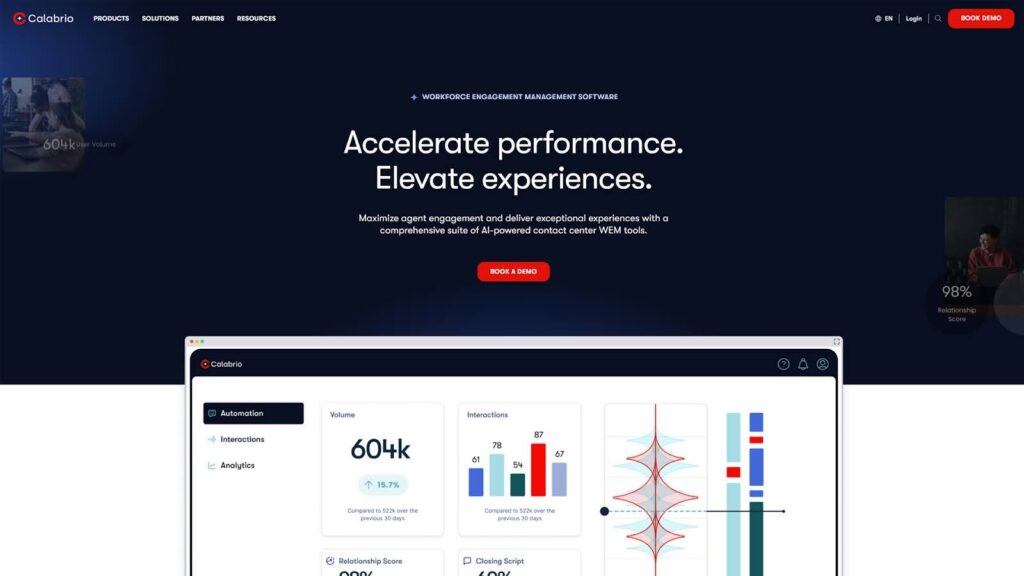
Calabrio ONE helps contact centers stay organized, save time, and make faster decisions. Unlike other options, you don’t have to switch between five different tools. You get one system that does it all in one place. This saves your team from confusion and helps them focus on what matters most.
The Workforce Management tool helps you predict busy times and schedule agents correctly. The system learns from past data to suggest the best schedules. This helps reduce overtime, avoid understaffing, and improve coverage during peak hours.
The Quality Management tools let you score calls, coach agents, and spot trends. You can set up custom scorecards that match your goals. This makes it easier to give feedback, improve training, and raise performance across the team.
Calabrio also includes interaction analytics that show customer mood, spot keyword patterns, and flag issues. This helps managers catch problems, track sentiment, and act quickly before small issues become big ones.
Calabrio ONE is cloud-based, so updates are smooth and there is no downtime. You can scale easily if your team grows. The dashboards give you a clear, simple view, and show you what’s working and what needs attention.
Setting everything up takes a bit of time. Your team may need training at the start. But once it’s up, the time saved and the improvements you get make it worth it. Our team helps every step of the way so you get full value.
Pros
- Truly Unified Platform: Calabrio offers an all-in-one solution that merges workforce management, quality assurance, analytics, and customer intelligence, eliminating the need for separate, disconnected tools. This integrated approach helps reduce complexity and ensures faster, more actionable insights.
- AI That Actually Works: Calabrio embeds AI natively across the suite; from predictive forecasting to automated quality scoring and conversational analytics. Unlike bolt-on solutions, Calabrio’s AI grows smarter over time and empowers users with real-time, coachable insights.
- Enterprise-Grade Without the Bloat: Mid-market and enterprise-ready, Calabrio’s cloud-native design ensures scalability from 5 to 15,000+ agents. It delivers high reliability, rapid deployment, and low total cost of ownership, especially compared to legacy-heavy or over-engineered competitors.
- Analytics for Everyone, Not Just Data Teams: With drag-and-drop dashboards, natural language queries, and embedded sentiment analysis, Calabrio’s analytics are built for frontline supervisors, not just analysts, helping teams act faster, not just report better.
- Human Support That Actually Shows Up: Calabrio invests in long-term partnerships with minimal outsourcing. Support is responsive, grounded in real expertise, and consistently rated highly by customers.
Cons
- Takes time to set up
Calabrio ONE gives you everything you need to run a better contact center. It improves agent performance, saves time, and helps you manage operations with confidence, all in one clean, powerful platform.
Looking to upgrade from Observe.ai? Book a demo today to see how Calabrio can do more for your contact center.
2. CallMiner Eureka: Deep Conversation Intelligence
What it does: CallMiner Eureka analyzes every customer conversation like on calls, chats, emails, texts, and social, to track sentiment, spot compliance risks, and uncover performance trends in real time and post-call.
Who it is for: This platform is for large contact centers, compliance teams, and QA managers who need detailed analytics across every customer touchpoint to improve service, reduce risk, and coach agents.

CallMiner provides full visibility across every interaction. It accurately transcribes conversations, detects tone and emotion, and scores sentiment for both agents and customers. Calls can be filtered by topic, such as complaints or cancellations, and tracked to see how they trend over time.
Its dashboard setup is flexible, allowing organizations to tailor views around coaching priorities, call drivers, and compliance alerts. Real-time cues enable supervisors to act quickly, while post-call analytics support structured QA workflows.
The platform also offers pre-built templates for regulated industries, automatically flagging risky language, supporting fraud detection, and ensuring script adherence. Users can search across millions of interactions and drill into details such as script compliance or customer frustration.
While CallMiner delivers strong capabilities, reviews note a few challenges. Some users find the coach dashboards to be overly complex for team leaders, particularly when visual graphs still imply scoring after numbers are removed.
Others highlight that the solution can be expensive, especially when factoring in add-ons.
A few reviews mention that transcription and sentiment analysis, though generally accurate, can occasionally miss nuances in complex or noisy audio, leading to missed insights. Additionally, some organizations report a steep learning curve, though they also acknowledge the availability of strong supporting resources to assist adoption.
Pros
- Analyzes all interactions
- Strong sentiment and emotion scoring
- Compliance and fraud detection
Cons
- Steeper learning curve
- Needs technical setup for full use
- Some UI lag with large datasets
CallMiner Eureka gives you deep insight into conversations across every channel. It’s good for large, data-driven teams that want real-time feedback, accurate sentiment tracking, and full compliance coverage in one platform.
3. Balto: Real-Time Agent Coaching
What it does: Balto provides live call guidance, automated QA, coaching insights, and post-call summaries. It improves compliance, boosts performance, and supports agents with in-the-moment help to follow scripts and meet call goals.
Who it is for: Best for support and sales teams with strict scripts, coaching managers tracking agent performance, and QA or compliance leaders in finance, healthcare, or any high-stakes contact center environment.
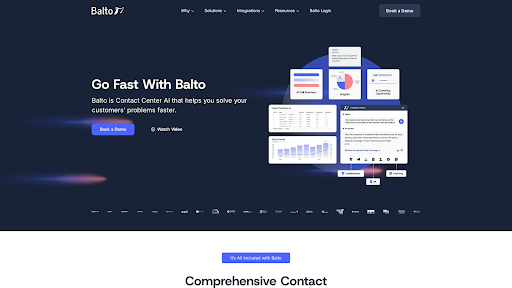
Balto is designed for live environments where agents need real-time support rather than solely post-call reviews. It listens to calls as they happen and provides prompts, checklists, and alerts when agents miss key phrases or deviate from scripts, helping maintain compliance and conversational quality.
The platform scores every call using AI, automatically flagging exceptions and compiling coaching packets for managers. This eliminates the need to manually review extensive audio files, as key moments are already highlighted. Coaching tools produce weekly summaries and track performance trends, enabling managers to focus on targeted improvements.
Balto also generates real-time call notes and syncs them with CRM platforms like Salesforce, streamlining workflows and improving post-call accuracy. Its business dashboard offers leadership insight into CSAT scores, script adherence, and team-level trends. Integration with major CRMs and CCaaS providers is typically straightforward.
While Balto delivers strong real-time capabilities, reviews highlight some areas for improvement. Users note that reporting depth could be expanded to offer more actionable insights. Some mention occasional call data refresh issues when the platform is left idle. In more complex service environments, certain administrative changes may require tedious manual repetition.
Pros
- Excellent real-time guidance
- Fast agent ramp-up and coaching automation
- Strong CRM and CCaaS integrations
Cons
- Reporting could be a bit better
- Setup and training need effort
- Admin tasks feel repetitive and slow
Balto is perfect for teams that want real-time help, faster coaching, and better compliance. It’s easy to use, saves managers time, and drives stronger call outcomes where accuracy and consistency matter most.
4. Talkdesk: Enterprise Omnichannel CCaaS
What it does: Talkdesk is a cloud-based contact center platform offering voice, chat, email, SMS, and social support, plus AI tools, analytics, and workforce features, all built for global, high-volume customer operations.
Who it is for: Ideal for enterprise and midsize support teams needing omnichannel, AI-powered communication, quality tracking, and CRM integrations. It also fits regulated industries and outbound sales teams with complex routing needs.
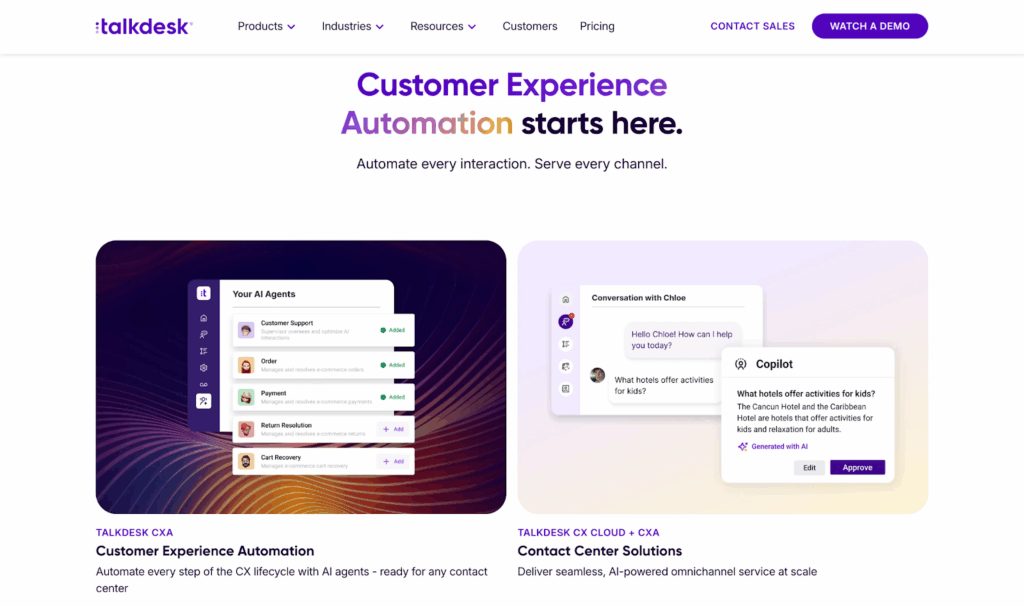
Talkdesk supports almost every channel in one platform. You can route calls, emails, and messages using smart IVR, AI, and real-time rules. This ensures customers reach the right team quickly and consistently.
One standout capability is the low-code Studio builder. It allows teams to design and launch custom workflows with drag-and-drop logic, making omnichannel journey creation more accessible without heavy reliance on developers. This reduces the time from concept to deployment and enables faster iteration.
While Talkdesk offers a built-in WEM suite, some organizations find it lacks the depth needed for advanced coaching, flexible scheduling, or analytics customization. That’s where a dedicated platform like Calabrio ONE adds value.
By integrating directly with Talkdesk, Calabrio brings in powerful tools for automated quality evaluations, agent self-scheduling, and performance insights that drive real improvement. This setup gives teams the flexibility to grow without being limited by native feature sets, unlocking a more complete workforce strategy without disrupting their CCaaS environment.
Reviews indicate several customer concerns with Talkdesk. Some report slow support and billing response times, alongside a lack of billing transparency that makes it difficult to track per-call costs or anticipate charges. Others describe billing disputes and refund issues, including delays in resolution and credits issued instead of refunds. A few users also note integration challenges with platforms like Salesforce and StellaReview, as well as limitations in the autodialer for some environments.
Pros
- Full omnichannel coverage
- Low-code automation tools
- AI agent assist and analytics
Cons
- Complaints about slow customer support
- Occasional call quality issues
- Reporting UI and admin setup can feel complex
Talkdesk gives large teams everything they need to scale support with control and precision. If you can handle the setup, it’s one of the most complete CCaaS platforms available today.
5. Genesys Cloud CX: Scalable Omnichannel CCaaS
What it does: Genesys Cloud CX is a cloud-native platform that handles voice, chat, email, SMS, and social interactions. It offers AI tools, workforce management, and advanced analytics for full contact center control and global operations.
Who it is for: Best for mid-size and enterprise teams that need omnichannel support, AI automation, and strong reporting across sales, support, or compliance-heavy customer experiences.
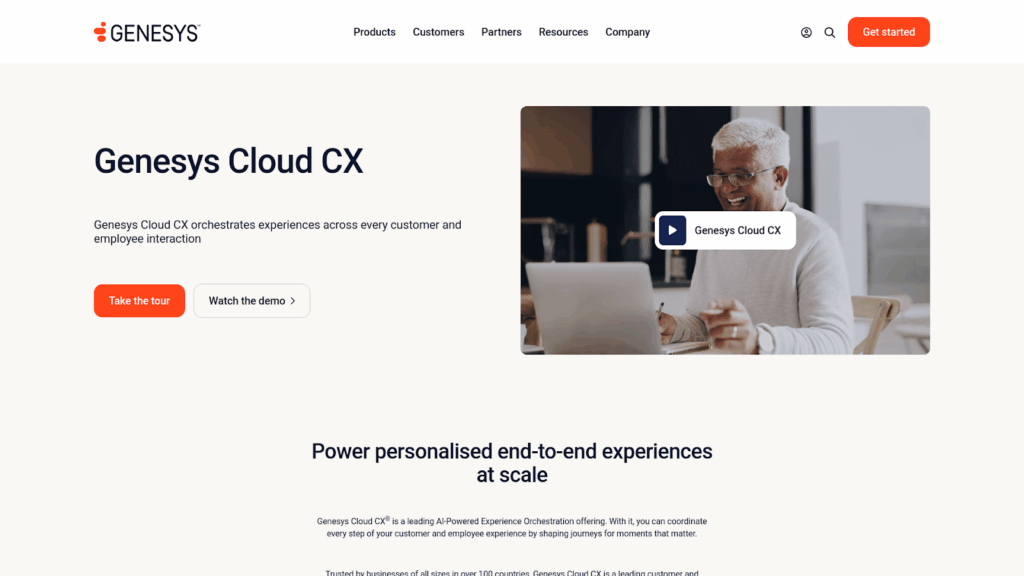
Genesys Cloud CX gives you everything in one platform. You can build custom IVRs, use predictive routing, and guide customer conversations through bots, scripts, and self-service flows. The drag-and-drop builder makes it easy for teams to manage changes without needing developers.
The list of AI features offered here is impressive. Sentiment tracking, real-time transcription, and predictive engagement tools help users understand customer mood and improve response timing. Agent assist features, which surface suggestions mid-call, can also support faster resolutions and more consistent service.
The WEM (Workforce Engagement Management) suite includes forecasting, scheduling, and quality monitoring. Gamification features and agent performance dashboards provide better visibility into who needs coaching or recognition. Real-time views of staffing and call volume are especially useful during peak periods, helping teams stay agile and on target.
The AppFoundry marketplace and REST APIs allow customers to plug in tools like Salesforce, Azure AD, and Zendesk. That gives the flexibility to customize without losing stability.
Reviews highlight several concerns with Genesys Cloud. Users report unreliable service, including outages, agents being removed from queues, and lines going down, as well as a lack of IVR reporting capabilities. Some note frequent crashes that disrupt operations. Others cite limited chat and email functionality, such as the inability to assign email tickets effectively, and recurring bugs that affect typing or message handling.
Pros
- Full omnichannel coverage
- Strong AI and workforce features
- Reliable, scalable, global infrastructure
Cons
- High costs for advanced tiers
- Learning curve for WEM and reporting
- AI tools can feel inconsistent
Genesys Cloud CX gives large teams full control over customer experiences. It’s best for those who need enterprise-grade AI, analytics, and global support. Smaller teams may struggle with cost and setup complexity.
6. Tethr: Actionable Conversation Intelligence
What it does: Tethr analyzes 100% of calls, chats, emails, and texts using AI, measuring agent behavior, sentiment, and effort. It delivers real-time coaching, automated QA, and custom insights for faster decisions and better outcomes.
Who it is for: Ideal for CX, QA, and compliance teams in mid-to-enterprise contact centers who want real-time guidance, coaching insights, and full interaction analytics across both voice and digital channels.

Tethr provides full visibility into every customer interaction. The platform uses NLP and machine learning to transcribe and analyze conversations, detecting effort, measuring friction, and flagging patterns tied to churn or conversion opportunities.
The Tethr Effort Index and predictive CSAT scores help identify which parts of the call negatively impact customer experience. These insights can be used to adjust scripts and drive improvements in both agent confidence and customer tone.
Tethr Live supports agents in real time by offering prompts, alerts, and direct links to relevant knowledge base content. Supervisors receive notifications during critical moments, which is particularly valuable when onboarding new hires or managing high-risk interactions.
On the backend, Tethr builds custom dashboards by role, giving CX leaders, QA managers, and product teams tailored views. Post-call insights feed directly into coaching workflows, and QA automation helps reduce manual review time.
Pros
- Real-time agent assistance
- Predictive effort and CSAT scoring
- Full QA and compliance automation
Cons
- Custom pricing requires quotes
- Speech accuracy varies in noisy calls
- Some reporting features feel complex
7. Verint Systems: Enterprise-Grade Intelligence Platform
What it does: Verint offers conversation intelligence, workforce tools, AI bots, and omnichannel analytics for contact centers. It captures and analyzes interactions across voice, chat, email, and surveys to improve compliance, performance, and customer experience.
Who it is for: Best for large or mid-sized organizations in regulated, complex environments that need advanced analytics, automated QA, and real-time insight across customer interactions.
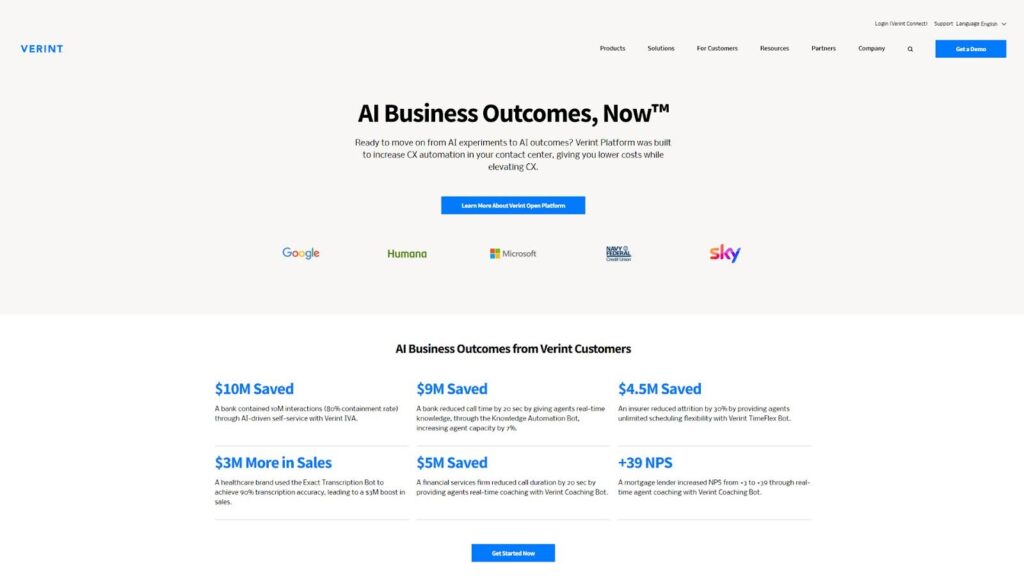
Verint’s strength lies in its open, modular design, allowing organizations to deploy only the tools they need or the full platform. It supports voice and text analytics, knowledge management, and virtual assistants, providing leaders with control, visibility, and automation across service operations.
Its speech analytics capabilities are a core differentiator, transcribing 100% of interactions, flagging compliance risks, and surfacing call trends that can help reduce handle times and improve agent coaching. These insights are often used to boost NPS and overall service quality.
The Intelligent Virtual Assistant enables the creation of AI-powered chatbots and voice bots to reduce call volume and manage repetitive requests, lowering agent workload while improving response consistency. AI-driven scoring tools measure effort and satisfaction to track performance over time.
Verint’s knowledge management system supports faster answers through contextual search, improving first contact resolution. Post-call data flows into role-based dashboards so CX, product, and QA teams each receive tailored insights.
While Verint delivers extensive capabilities, reviews highlight some areas for improvement. Users point to a dated user interface that could benefit from a more fluid design, and note that the platform can feel overly technical for those new to workforce management. Others mention limited reporting usability and inaccurate transcriptions in some call recordings.
Pros
- Enterprise-level analytics and automation
- Modular, flexible deployment
- Strong ROI from compliance and efficiency gains
Cons
- High cost and add-ons
- Setup requires time and training
- Interface performance issues in large environments
Verint is a complete solution for enterprises needing serious analytics and compliance tools. It’s best for teams ready to invest in long-term transformation and full control over their service operations.
8. EvaluAgent: Flexible QA Automation Platform
What it does: EvaluAgent scores 100% of calls, chats, emails, and texts using AI, customizable QA tools, and real-time coaching to improve compliance, agent behavior, and customer outcomes at scale.
Who it is for: Ideal for QA leaders, CX managers, and regulated contact centers that need full visibility, faster evaluation, and real-time feedback across every customer interaction.

EvaluAgent covers the entire QA workflow. You can score every conversation automatically using custom scorecards. AI tracks sentiment, keywords, and compliance issues while dashboards show agent performance and call patterns in real time.
EvaluAgent makes it easy to start small and expand. Many teams begin with Auto-QA and e-learning, then grow into advanced workflows and BI reporting. Real-time alerts help supervisors catch coachable moments during live calls, while the coaching tools make 1-to-1 sessions more structured and actionable.
The platform also supports agent motivation. Dashboards, leaderboards, and gamification give reps visibility into their scores and drive engagement. Built-in training tools let managers assign lessons based on performance triggers, making it easier to close skill gaps.
EvaluAgent connects smoothly with CRMs, CCaaS platforms, and systems like Zendesk and Salesforce. Integrations with call recording and telephony tools typically require little to no custom development, helping reduce implementation time.
Reviews of EvaluAgent mention several areas for improvement. Some users report credential reset bugs that can temporarily impact platform performance when expired credentials are not immediately recognized. Others note a less intuitive interface compared to other tools, with a need for more visual representation of results. Additional feedback includes duplicate notifications and layout limitations within evaluations, which can make reviewing results less streamlined.
Pros
- Full coverage QA automation
- Real-time coaching and alerts
- Built-in training and engagement tools
Cons
- Requires thoughtful setup and configuration
- Some UI elements feel rigid
- Limited flexibility in custom workflows
EvaluAgent gives contact centers everything needed to automate QA, boost agent performance, and stay compliant. It’s a powerful, easy-to-use tool. Just be ready to invest time in a proper setup for long-term success.
9. Chorus: Conversation Intelligence for Sales
What it does: Chorus records, transcribes, and analyzes calls, meetings, and emails. It delivers AI-powered summaries, coaching insights, and deal signals to help sales and customer success teams close more business and improve communication.
Who it is for: Best for revenue leaders, sales coaches, and CX teams who want to improve rep performance, boost pipeline visibility, and learn from real customer conversations.
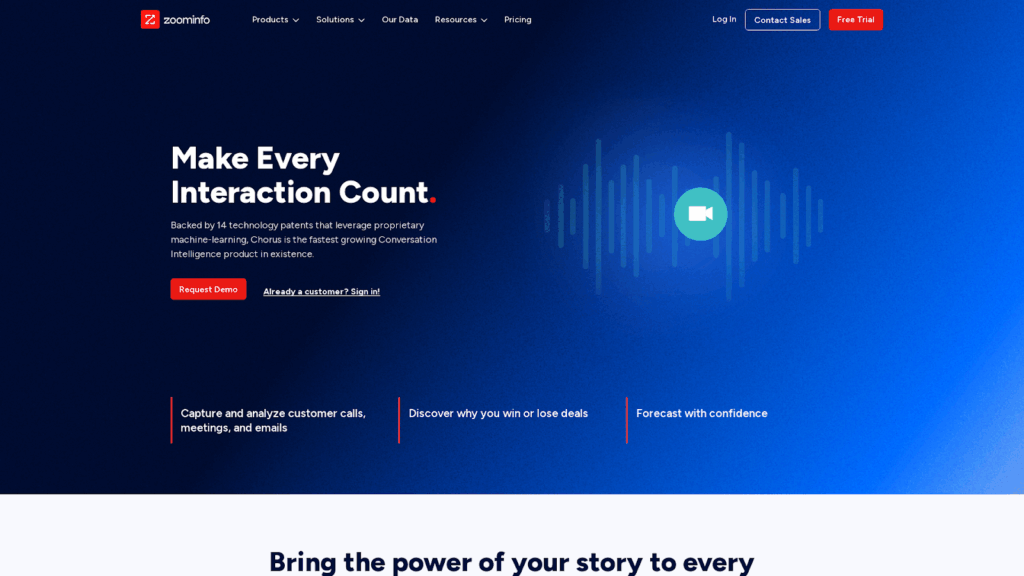
Chorus captures every conversation and makes it searchable. It turns meetings into transcripts, highlights, and action items. This makes it easier for teams to review key points without relying on manual note-taking. Summaries help track follow-ups and prep for next steps quickly, especially useful in fast-moving sales environments.
Beyond transcription, Chorus surfaces trends across conversations. It can flag competitor mentions, pricing objections, or product feedback, giving teams better visibility into at-risk deals and helping refine sales strategies.
The platform is also a strong coaching tool. Highlight reels and playlists make onboarding faster by showing new reps what successful calls sound like. Scorecards and trend reports help managers track rep performance and guide feedback sessions more effectively.
It connects well with Zoom, Salesforce, and calendar tools, so recordings and summaries showed up where you would need them. It also pulls in emails and syncs notes across systems, keeping everything organized.
Reviews of Chorus by ZoomInfo point to a few areas for improvement. Some users note transcription accuracy issues in cases with overlapping voices or strong accents, which can require occasional manual cleanup. Others mention limited meeting summary detail, leading to extra time spent reviewing full transcripts. Additional feedback highlights that pricing is higher compared to some competitors.
Pros
- Smart AI summaries and action items
- Coaching tools and highlight reels
- Strong CRM and calendar integrations
Cons
- High price for smaller teams
- Summaries can miss details
- Some users report a “Big Brother” vibe
Chorus gives your team a clear edge in performance, coaching, and visibility. It’s best for companies ready to invest in insight-driven sales enablement backed by real conversations.
10. Level AI: AI-First QA Automation
What it does: Level AI uses semantic intelligence and generative AI to automate QA, assist agents live, and surface customer insights across all interactions like calls, chats, and emails in one connected platform.
Who it is for: Perfect for mid to large contact centers that want to fully automate QA, give agents real-time guidance, and get deep visibility into CX, performance, and sentiment patterns at scale.
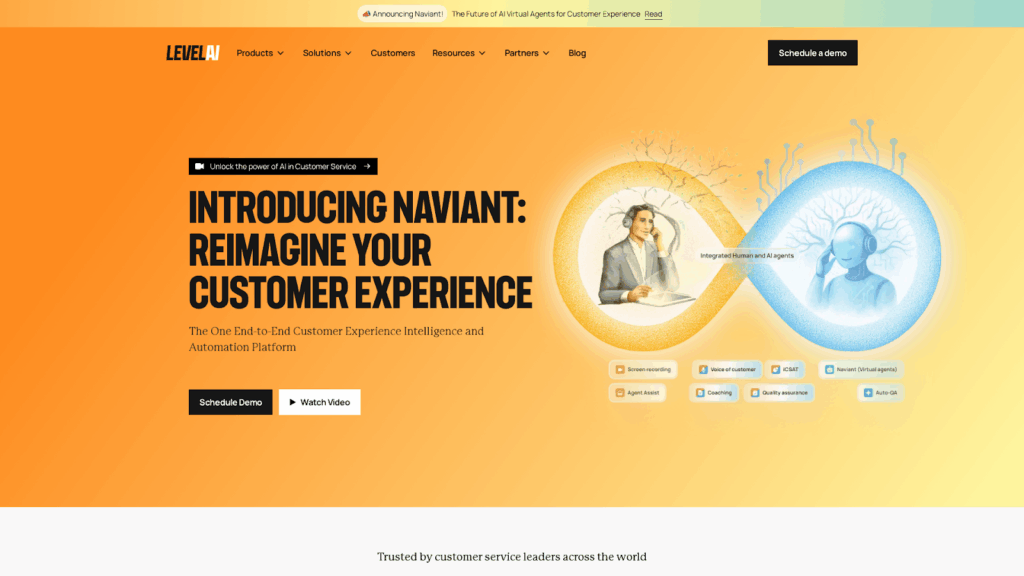
Level AI analyzes every conversation and scores it against your QA rubric using its built-in QA-GPT engine. This gives 100% coverage with near-human-level accuracy, saving hours of manual review and helping teams stay compliant, consistent, and responsive to trends.
Level AI is built to streamline quality assurance by automating what used to take hours. It can flag missed greetings, empathy gaps, and compliance risks without needing teams to manually review call recordings. A unified dashboard helps managers coach in real time and spot patterns across teams more efficiently.
Agent Assist works during live calls and chats. It shows next-best actions, answers complex questions, and guides agents based on intent and emotion. The AgentGPT tool pulls info from knowledge bases instantly, making conversations faster and more reliable.
The voice-of-customer tools help spot common frustrations and product issues quickly. Custom reports linked call behavior with KPIs like CSAT and churn. This closed the loop between frontline activity and overall CX outcomes.
Reviews of Level AI highlight a few areas for refinement. Some users report that AI evaluations can be overly literal, marking agents down if exact keywords are not used, even when alternative phrasing is contextually correct. Others note minor sentiment detection inaccuracies and occasional lag when handling large data sets or switching features. Feedback also points to limited drill-down and customization in reporting, with some requesting more tailored dashboard options to better support performance management needs.
Pros
- 100% automated QA scoring
- Live agent guidance and AI coaching
- Unified dashboard for CX analytics
Cons
- Sentiment/intent AI sometimes misfires
- Setup requires technical configuration
- No public pricing; enterprise only
Level AI is built for teams ready to scale QA, reduce coaching time, and improve CX with advanced AI. It’s not plug-and-play, but it’s one of the smartest tools for performance transformation.
How We Ranked the Best Observe.ai Alternatives
To ensure a thorough and unbiased assessment, each platform was measured against critical factors that contact center leaders consistently identify as essential for driving meaningful operational improvements.
1. 100% QA Coverage (Without the Headaches)
Leading platforms now automate scoring across calls, chats, and emails using real QA rubrics. The strongest options replace manual reviews with fast, accurate, AI-powered evaluations.
Key capabilities include:
- Custom scorecards with weighted categories
- Detection of tone, script adherence, and soft-skill gaps
- Always-on QA running in the background without manual tagging
2. Real-Time Agent Coaching
Observe lacks real-time assistance, so platforms offering live prompts and next-best actions during conversations were prioritized.
What matters here:
- In-call tips and intelligent nudges for agents
- Live detection of sentiment shifts and customer intent
- Measurable impact on reducing repeat contacts and missed escalations
3. Workflow Automation & Coaching Tools
The best solutions go beyond scoring, triggering follow-ups, coaching tasks, and reporting without additional administrative work.
Strong platforms offer:
- Automatic coaching assignments tied to QA results
- Historical agent trend tracking built into dashboards
- Workflow tools that reduce manual oversight
4. Analytics That Go Beyond Compliance
Powerful alternatives surface voice-of-customer insights, sentiment trends, and business impact metrics, not just QA flags.
Top analytics capabilities include:
- Predictive scoring for effort, CSAT, or churn
- Easy filtering by agent, team, or call type
- Root cause analysis for repeat calls or negative reviews
5. Setup, Scalability, and Integration
Deployment speed and ecosystem fit are critical. Platforms were evaluated on how easily they integrate into common tech stacks and scale with team growth.
Key evaluation points:
- Out-of-the-box integrations with Salesforce, Zendesk, and CCaaS tools
- Fast setup and simple QA calibration
- Proven scalability across teams of all sizes
6. Real-World QA + Coaching Impact
The strongest platforms support complete QA-coaching loops and deliver measurable performance improvements. They go beyond matching Observe by raising the bar on automation, agent guidance, and insight delivery for team leaders.
Closing Thoughts — Ready To Upgrade From Observe.ai?
Calabrio ONE delivers everything Observe offers, and goes further, by giving contact centers the tools they need to simplify operations, improve performance, and scale with confidence. It’s built to help leaders turn insights into action faster, while empowering agents to deliver their best work.
With Calabrio ONE, you get:
- AI-driven forecasting to improve staffing accuracy, cut costs, and avoid under- or overstaffing
- Built-in quality management with customizable scorecards and automated evaluations for 100% interaction coverage
- Real-time analytics across calls, chats, and emails for quick, data-backed decision-making
- Agent coaching and performance tools to boost productivity, consistency, and engagement
- One unified platform for QA, WFM, analytics, and coaching, no more juggling multiple tools
For contact centers looking to scale, improve efficiency, and deliver a consistently exceptional customer experience, Calabrio is the smarter choice.
Schedule a demo today and learn more about how the switch from Observe will help you out.
Frequently Asked Questions
Why Should I Switch from Observe.ai to a Competitor?
Most Observe.ai alternatives offer better real-time coaching, faster QA automation, and more flexible analytics. Some tools, like Calabrio or Balto, combine agent assistance with full QA coverage. If you need more than basic compliance tracking, switching gives you broader insights and stronger workflow automation.
How Do These Alternatives Improve Coaching Compared to Observe.ai?
Many of these tools support real-time agent guidance during live calls, not just post-call reviews. They highlight missed phrases, suggest next-best actions, and deliver targeted coaching packs automatically. This speeds up feedback loops and boosts agent performance while reducing the time managers spend reviewing calls manually.
Which Alternative Works Best For Sales Teams?
Chorus is the best fit for sales-focused teams. It analyzes meetings, calls, and emails to track deal progress, flag objections, and generate smart follow-ups. Its coaching tools help new reps ramp faster, and trend tracking reveals what works across top performers.
What’s the Easiest Alternative To Set Up For a Small Team?
EvaluAgent is one of the easiest tools to start with. It offers plug-and-play QA automation, simple CRM integrations, and built-in training tools. You can start with just QA scoring and expand to coaching later. The platform works well even for smaller teams with limited resources.
Do Any Of These Tools Offer a Complete Platform for QA, WFM, and Coaching?
Calabrio ONE offers the most complete platform. It combines QA automation, workforce management, agent coaching, and analytics in one system. You can manage schedules, score calls, coach agents, and track performance without switching between tools, which saves time and reduces complexity.
What Integrations Should I Look For When Switching?
Check for native integrations with your CRM (like Salesforce or HubSpot), CCaaS provider (like Genesys or Talkdesk), and ticketing tools (like Zendesk). Also verify if the platform supports SSO, APIs, and real-time sync. The right integrations reduce manual work and keep workflows consistent across systems.