Your contact center was humming along smoothly until that one Monday morning when call volume spiked unexpectedly, half your agents called in sick, and your current workforce management platform couldn’t keep up.
The workforce management software you chose two years ago might have seemed like the perfect solution back then. But as your contact center grows and customer expectations shift, you’re probably discovering that what worked for 50 agents doesn’t necessarily scale to 500, and what handled simple scheduling is now struggling with complex omnichannel demands.
This isn’t about finding fault with your current system. It’s about recognizing that the workforce management industry has changed dramatically, and so have your needs. Whether you’re dealing with rigid scheduling that frustrates agents, analytics that don’t translate into actionable insights, or integration headaches that consume your IT team’s bandwidth, you’re not alone.
This article talks about eight compelling alternatives to Assembled that contact center leaders are turning to in 2025. We’ve analyzed each platform’s strengths, real-world implementation experiences, and the specific problems they solve best to compile a list of eight platforms where the transition will seem natural and completely worth the trouble.
The 7 Best Assembled Alternatives in 2025
- Calabrio ONE: Purpose-Built for Contact Centers
- Bitrix24: Budget-Friendly, All-in-One Tool
- Salesforce Service Cloud: CRM-Integrated Scheduling
- Connecteam: Mobile-first Scheduling Tool
- QuickBooks Time: Simple Time Tracking Tool
- NiCE CXone: Enterprise-Grade Workforce Management
- Talkdesk: Cloud-Based CCaaS for Omnichannel Teams
1. Calabrio ONE: Purpose-Built for Contact Centers
What it does: Calabrio ONE combines forecasting, scheduling, call recording, quality management, and analytics into one unified, cloud-based system that helps teams plan smarter, engage their workforce, and drive better performance.
Who it is for: Contact center directors, workforce managers, CX leaders, and operations teams at mid-size and enterprise organizations who need deep insights, help with compliance, and close control over staffing, agent performance, and multi-channel customer experience.
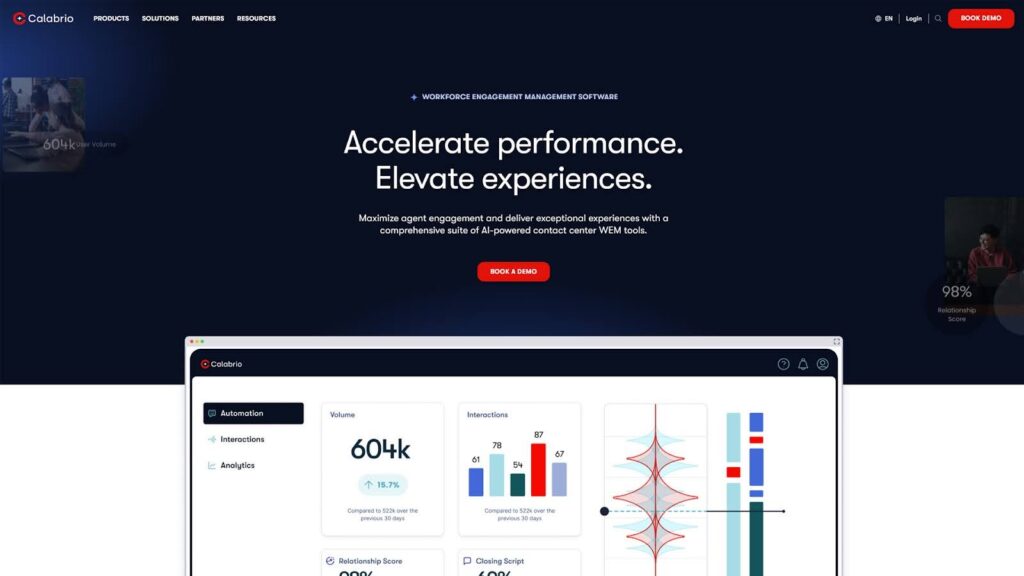
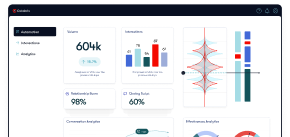
The Calabrio ONE platform is built from the ground up for contact centers, not adapted from general scheduling software. That means features like intra-day reforecasting, skill-based routing, adherence tracking, and omnichannel forecasting are not added later; they’re built in from the start.
AI-powered forecasting helps teams stay ahead of demand across voice, chat, email, and more. You don’t just get a static schedule; you get dynamic, optimized staffing plans that help your contact center adapt to even sharp shifts in volume.
For agents, the MyTime app makes it easy to check schedules, swap shifts, and request time off. This gives agents the flexibility and transparency they need, which helps boost morale and retention, two things that matter more than ever right now.
While Calabrio delivers leading workforce management solutions, the unified suite delivers much more than that. Calabrio users can leverage AI-powered quality management tools, sentiment analysis, speech analytics, call recording, performance management, and more to go deeper than surface-level insights and understand the complete picture of contact center performance.
Plus, being cloud-native and vendor-neutral, Calabrio ONE integrates seamlessly with a wide range of CCaaS, telephony, and CRM systems, so you’re not forced into a specific tech stack. That’s a major win for IT teams managing hybrid setups or ongoing migrations, or those who simply want to stick with the system they know and love best.
Pros
- Unified Suite That Actually Works Together: Calabrio delivers workforce management, quality assurance, and analytics in one truly integrated platform, eliminating the friction of bolt-on modules, disconnected data, and disjointed workflows common in legacy systems.
- AI That Predicts and Adapts, Not Just Automates: Intelligent forecasting and scheduling software goes beyond simple automation, dynamically adjusting to intraday changes and long-term patterns, helping contact centers meet evolving customer demand while maximizing efficiency.
- Agent Self-Scheduling and Support That Reduces Burnout: Agents can manage their shifts through the MyTime mobile app, boosting autonomy and engagement. This flexibility cuts down on attrition and improves schedule adherence without compromising service levels.
- Actionable Insights from 100% of Interactions: With Calabrio, every customer touchpoint, across voice, chat, and digital, is captured and analyzed. Supervisors and agents can use intuitive sentiment tracking, automated QA scoring, and more to quickly identify coachable moments that drive real impact.
- Faster Implementation, No Vendor Lock-In: Unlike bloated platforms that drag out deployment, Calabrio offers quick, scalable implementations and native integrations with top CCaaS platforms like Genesys and Amazon Connect. There’s no lock-in, just results.
Cons
- No free plan or self-serve setup
Who Should Choose Calabrio?
If you’re running a serious contact center operation and need more than basic scheduling, Calabrio delivers the forecasting, optimization, and analytics tools to truly improve how your team works, across channels, shifts, and outcomes.
Book a demo with Calabrio today and learn more about how we’re empowering agents, managers, and entire contact centers to improve performance and deliver unmatched customer experiences.
2. Bitrix24: Budget-Friendly, All-in-One Tool
What it does: Bitrix24 combines CRM, task management, team chat, time tracking, and basic scheduling.
Who it is for: Owners, team leads, and operations managers who need a general-purpose platform for internal coordination, basic scheduling, and project tracking, especially if you’re working with limited headcount and tight budgets.

Bitrix24 combines a bunch of features into a single bundle. Along with a scheduler, it comes with a CRM, chat, file sharing, time tracking, and even built-in calling. It can help you streamline admin work across functions without using multiple tools.
When it comes to workforce management, Bitrix24 provides basic shift scheduling, a shared calendar, and simple attendance tracking. But for teams managing high-volume or multi-skill support operations, it quickly becomes clear where it falls short, especially when compared to purpose-built solutions like Calabrio. Key capabilities like accurate forecasting, real-time intraday rebalancing, and agent-level performance visibility are either limited or just not there at all.
Compared to a modern WFM solution like Calabrio, Bitrix24 doesn’t give you control over things like multi-skill planning, intraday changes, or performance insights. It felt more like a collaboration suite with scheduling on the side, not something built for serious CX teams.
Still, there is some value in the flat pricing model: pay per organization, not per user. Plans start at $49/month for 5 users and go up to $199/month for 100 users.
Its flat-rate pricing, per organization rather than per user, is appealing for smaller teams. Plans start at $49/month for five users and go up to $199/month for 100 users.
Bitrix24 holds up well when you need simple coordination, but as demand gets more complex, it isn’t enough. Features like forecasting, scheduling intelligence, and real-time visibility are missing too. Calabrio fills those gaps immediately and gives you tools to improve service levels with far less manual effort.
Other than that, the platform has some issues that reduce its usefulness for contact centers. First, the existing documentation and demos can be lacking for users, as some people suggested that they were left on their own to figure out some of the features. A few customers also complained that Bitrix terminated their partnerships with certain vendors without informing or offboarding customers who were actively using those integrations. Another user had their entire year’s worth of data deleted by the company.
Pros
- One platform for CRM, projects, scheduling, and communication
- Extremely affordable with a generous free tier
- Flat organizational pricing (not per user)
Cons
- No demand forecasting, skill-based scheduling, or reforecasting
- Not built for contact center complexity
- Limited workforce analytics and visibility
Who Should Choose Bitrix?
Bitrix24 can help your team consolidate tools and keep costs low, but once contact center operations become a focus, you need something more advanced. For CX teams who want to optimize scheduling and performance, Calabrio is simply the better fit.
3. Google Workspace: The DIY Approach
What it does: Google Workspace tools like Sheets, Calendar, Forms let teams manually build their own scheduling, tracking, and basic workforce workflows.
Who it is for: Startups, very small support teams, or businesses with custom workflows and tight budgets. If you’re okay doing things manually and aren’t ready to invest in real WFM, Workspace gets the job done, at least for a while.

Many small teams turn to Google Sheets to manage shifts and time-off calendars. It’s often used to build basic forecasts, track agent availability, and process time-off requests through connected Forms. This approach can be scrappy but functional for teams of fewer than five people who need a quick, no-cost solution.
The primary appeal lies in its free access, familiarity, and high customizability. Teams can tailor workflows to meet immediate operational needs without a steep learning curve. For simple operations, that can be enough.
However, as contact center operations scale, Sheets often become a bottleneck. Manual updates, formula errors, and version control issues begin to surface. Real-time forecasting and intraday adjustments become nearly impossible. In many cases, agents are mid-call while updates are still being made, leading to costly delays and inefficiencies.
That’s where a workforce management solution like Calabrio transforms operations. By automating forecasting, scheduling, and real-time adherence, what once took hours in Sheets is handled in just a few accurate clicks. There is no second-guessing, no fixing formulas, just clean execution.
And since Sheets doesn’t integrate with most ticketing or telephony systems, teams often resort to exporting data, running VLOOKUPs, and stitching together reports manually. Calabrio eliminates this manual lift by offering connected data, clean dashboards, and instant visibility, enabling smoother, more scalable contact center operations.
Pros
- Free with Google Workspace subscription
- Very flexible and customizable for small teams
- No onboarding or new software to learn
Cons
- No built-in forecasting or scheduling logic
- Manual processes become unsustainable with growth. It’s a decent tool for when you’re just starting out, but it does not scale well with growing companies.
- High risk of errors and version issues
Who Should Choose Google Workspace?
Google Workspace is fine when you’re just starting, but it falls short the moment your team needs scale or accuracy. Tools like Calabrio automate everything Workspace can’t, and that jump saves real time, prevents burnout, and improves overall performance.
4. Connecteam: Mobile-first Scheduling Tool
What it does: Connecteam is a mobile-first platform for employee scheduling, time tracking, and internal communication. It’s designed for hourly and deskless teams in industries like retail, hospitality, logistics, and small call centers.
Who it is for: Managers of shift-based teams, field operations, or small support teams who need simple tools to assign shifts, send updates, and manage time-off without needing a full-blown WFM system.
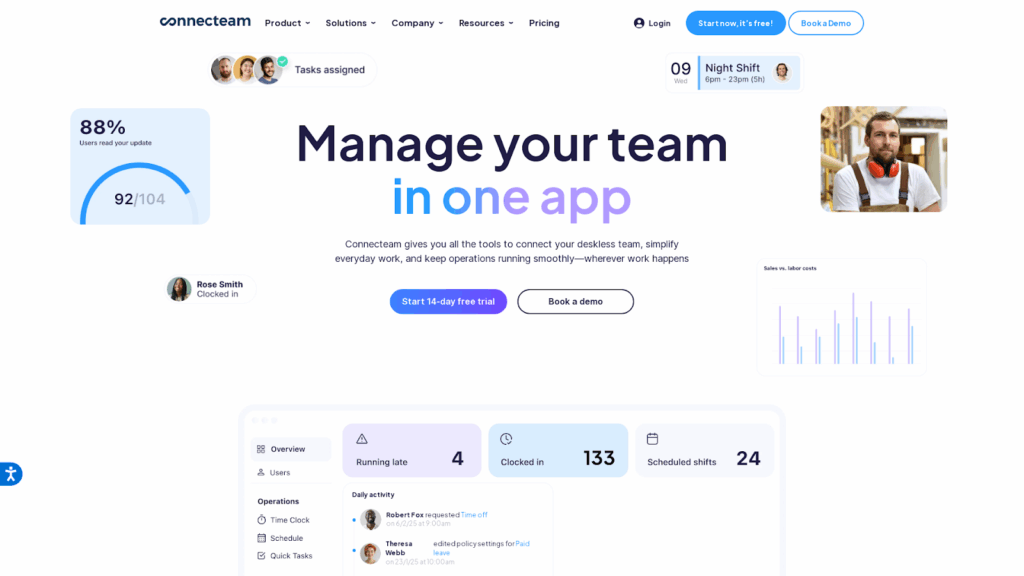
Connecteam is mostly used for daily schedules, time clocks, and internal updates, and it’s widely used by small teams. The mobile app is clean and intuitive; agents can view shifts, request time off, and clock in with GPS. It feels like a lightweight workforce tool that covers the essentials without getting in the way.
Connecteam is also frequently praised for its ease of use. Staff get real-time notifications when shifts are published or swapped. Managers can quickly fill last-minute gaps, send updates, and keep everyone aligned through in-app messaging. That mobile-first approach makes daily coordination much smoother.
Beyond scheduling, it includes extras like checklists, training quizzes, document storage, and even employee recognition. But even if you use it only for shifts and time tracking, the pricing is hard to beat. The free plan covers 10 users. The basic paid plan is just $29/month for 30 users, with each additional user costing very little.
Where it falls short is with the forecasting and workforce optimization capabilities required by modern contact centers. Connecteam doesn’t predict how many agents you’ll need or help with volume-based scheduling. It also lacks advanced analytics and performance metrics. You can’t rely on it for long-term planning or workload balancing like you can with a purpose-built solution like Calabrio ONE.
This matters most in contact centers. Calabrio offers multi-skill scheduling, adherence tracking, and historical data forecasting. Connecteam can’t match that. It’s better for static shift coverage than dynamic service level management. You’ll still need manual oversight if you have complex staffing needs.
Connecteam can be effective for basic frontline engagement, but it does come with certain issues. Users have reported that the platform stalls often, shift assignments can be faulty, and the UI is unintuitive.
Pros
- Clean mobile experience for agents and managers
- Includes time tracking and internal communication
- Extremely cost-effective for small teams
Cons
- No forecasting or performance analytics features
- Not designed for complex call center operations
- Lacks integration with telephony or CRMs
Who Should Choose Connecteam?
Connecteam is perfect for smaller teams that need scheduling, communication, and time tracking in one place. But once your operations grow and accuracy starts to matter, you’ll need something like Calabrio to handle forecasting, rapid changes, and workforce and CX analytics at scale.
5. QuickBooks Time: Simple Time Tracking Tool
What it does: QuickBooks Time helps teams track hours, manage PTO, and assign shifts using a simple calendar view.
Who it is for: Small to mid-sized teams that need basic time tracking, want to reduce manual timesheet entry, and already use QuickBooks for payroll or invoicing. It’s not for contact centers or those with complex scheduling needs.
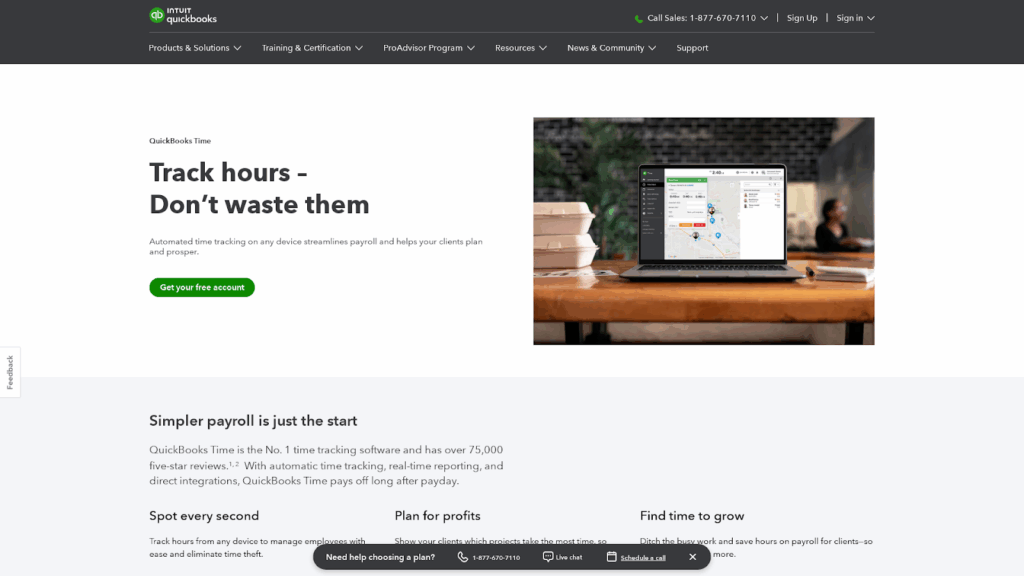
QuickBooks Time is used for simple time tracking, clock-ins, and PTO management. The mobile app is straightforward, and GPS tagging helps confirm where team members are. For managers, the drag-and-drop calendar makes it easy to assign shifts and keep schedules organized day-to-day.
What stands out most is the direct integration with QuickBooks payroll. If you’re already in that ecosystem, having timesheets flow straight into payroll can save a lot of manual work and reduce errors. That kind of automation is a big plus when you’re just trying to stay on top of the basics.
Pricing is also pretty reasonable; around $20 or $40 per month as a base, plus $8–$10 per user. For smaller teams, it usually stays under $100/month, which makes it an affordable starting point. They don’t offer a free version, but promos and trials pop up often.
The catch is that there’s no forecasting. It doesn’t show future demand or suggest the right number of agents per shift. You just make a schedule and hope it lines up. There are also no real-time adjustments or data-driven insights. It’s great for logging time, but not for managing a workforce.
Users don’t get performance data, adherence tracking, or volume-based scheduling. At some point, time tracking alone just isn’t enough, and this is a problem that top Assembled competitors like Calabrio have fixed. Calabrio offers forecasting, dynamic scheduling, and deep performance tracking that helps us run a tighter operation.
Other than the issues mentioned above, there are some other caveats to working with QuickBooks. Users have complained about integration issues with other Intuit first-party apps. Others find the tool extremely complex and difficult to work with.
Pros
- Easy mobile check-ins
- Strong QuickBooks payroll integration
- Transparent and affordable pricing
Cons
- No forecasting or shift optimization
- Doesn’t scale for complex teams
- Lacks performance visibility
Who Should Choose QuickBooks Time?
QuickBooks Time works well for small teams focused on accurate time tracking and basic shift management, especially if you use QuickBooks for payroll. But if you need to align staffing with real workload and optimize efficiency, a solution like Calabrio offers far more value.
6. NiCE CXone: Enterprise-Grade Workforce Management
What it does: NiCE CXone is an all-in-one contact center platform that combines calls, chats, routing, analytics, and workforce management into one system. The WFM module covers forecasting, scheduling, real-time tracking, and more.
Who it’s for: Large teams with complex operations and those managing global customer support across time zones and channels.

NiCE CXone is used by teams scaling support across multiple time zones, and there’s no doubt it’s a powerful platform. Its forecasting tools are highly advanced, supporting multi-skill planning, intraday changes, and agent preferences. Because the WFM module is fully integrated, any schedule updates flow straight into live dashboards.
You also get AI tools like speech analytics, performance insights, and automated coaching. Managers can track agent behavior, service quality, and gaps, all from one interface. It’s a strong all-in-one solution.
But this depth comes with a learning curve. Organization admins spend a lot of time getting trained and setting things up. Calabrio, by comparison, is a lot easier to pick up. For teams without WFM specialists, Calabrio’s simpler interface can be a real advantage.
In side-by-side comparisons, NiCE tends to win on scalability and customization, while Calabrio stands out for speed, usability, and flexibility. If you’re not running your entire stack on NiCE, Calabrio can be plugged into platforms like Zendesk or Cisco with far less friction.
Then there’s pricing. NiCE CXone is modular, but once you add WFM and analytics, costs often rise above $100 per user per month. That might work for large enterprises, but mid-sized teams can usually find better ROI with Calabrio’s more streamlined setup.
For big, complex operations, NiCE delivers, but not without certain challenges. Customers have mentioned that their platform can be slow and buggy, with frequent error messages. Others also mentioned that reporting may not be up to the mark, and unexpected charges after prices were already agreed upon.
Pros
- Great forecasting and adherence
- Fully integrated contact center suite
- Scales well for global teams
Cons
- High cost per user
- Steep learning curve
- Too complex for smaller teams
Who Should Choose NiCE CXone?
NiCE CXone is powerful and built for enterprise-scale teams. It gives you full visibility and control across your entire contact center. But for smaller teams or those with lighter needs, Calabrio might offer similar WFM benefits with less cost and complexity.
7. Talkdesk: Cloud-Based CCaaS for Omnichannel Teams
What it does: Talkdesk is a cloud-based contact center platform that helps teams handle customer conversations across voice, chat, email, SMS, and social media, all in one place.
Who it’s for: Mid-sized to large contact centers, companies in healthcare, finance, government, or any team that handles a lot of customer interactions. It’s also popular with outbound sales teams who want predictive dialing or strong agent support.
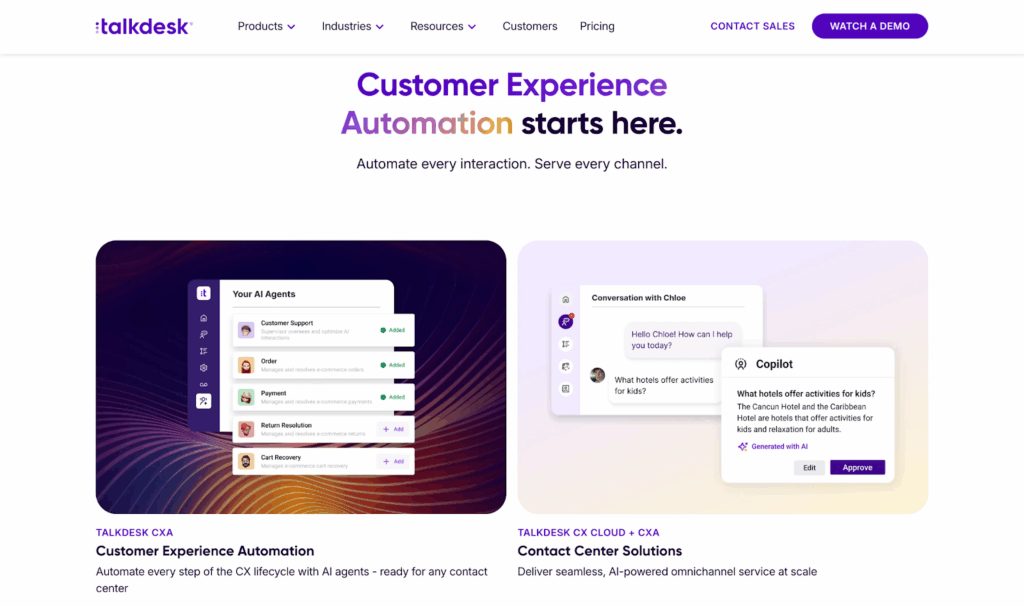
Talkdesk is a good tool in setups where fast integration matters, especially in financial services and support-heavy environments. It connects well with platforms like Salesforce, Slack, and common helpdesk tools, keeping everything in sync and reducing the need for constant app-switching. That kind of streamlined workflow can really speed up support operations.
Agents benefit from real-time AI assistance, while managers get access to clear dashboards tracking sentiment, talk time, and queue metrics. There’s also a built-in WFM suite that handles scheduling, forecasting, and agent coaching.
While Talkdesk offers an all-in-one experience, some users report that the built-in WEM tools may lack the depth needed for advanced coaching, customization, or analytics. That’s where a specialized platform like Calabrio ONE can make a difference. By integrating Calabrio, Talkdesk users gain access to features like automated quality evaluations, self-scheduling, and detailed performance insights without giving up their existing CCaaS environment. This flexible approach avoids vendor lock-in and allows organizations to scale their workforce strategy as needs evolve.
Talkdesk takes security seriously. It meets HIPAA, GDPR, SOC‑2, and PCI standards. It also guarantees over 99.9% uptime. You can use it on any device, and it scales well for teams with hundreds or even thousands of agents.
However, despite their airtight security measures, potential buyers need to be aware of some other customer reviews.
First, quite a few customers have complained that support and billing teams can potentially take a bit longer to reply than they would like. Some other users complained that their user interface is clunky, which may lead to a steeper learning curve.
Pros
- Strong omnichannel coverage
- Excellent AI and analytics tools
- Robust security and compliance certifications
Cons
- Mobile app often goes offline
- Can be overwhelmed with features at scale
- A few integrations like Zendesk can be a bit buggy
Who Should Choose Talkdesk?
Talkdesk is a great pick if your team is big with complex needs and wants everything in one place. It’s strong on compliance and scales well. But if your team is small or just starting out, it might be too much. A simpler tool or something like Calabrio for WFM might give you more value for the money.
How We Ranked the Best Assembled Alternatives
The best alternative to Assembled isn’t just about filling shifts; it’s about making smarter staffing decisions, improving team performance, and scaling with confidence. We compared customer data for over a dozen workforce management platforms, focusing on how well they helped teams adapt, forecast accurately, and stay in sync. Here’s what mattered most during that evaluation:
1. Real Scheduling Power
It’s not just about building a weekly schedule. The better platforms handle real-life disruptions, such as last-minute callouts, volume fluctuations, and mixed-skill shifts.
- Can shifts be adjusted quickly without rebuilding everything?
- Does it support split shifts, multiple time zones, and hybrid teams?
- How accurately does it align staffing with forecasted demand?
Calabrio performed well in this area, offering enough flexibility to manage changes without a lot of manual work.
2. Forecasting That Holds Up
Forecasting is a critical test for any WFM platform. Some tools rely heavily on copying past trends, while others offer smarter models that learn and adapt.
- Does the platform recognize volume patterns over time?
- Can it adjust for outliers like holidays or special events?
- Is intraday reforecasting reliable?
A few platforms, like NiCE CXone, incorporate AI forecasting with reasonable accuracy, though not every feature is intuitive out of the box.
3. Real-Time Adherence and Alerts
Real-time visibility into what agents are doing and whether it matches their schedule is essential.
- Are deviations detected and flagged automatically?
- Can managers act quickly through the platform?
- Is agent behavior clearly displayed without digging?
Calabrio does a good job here, giving supervisors quick insight into schedule adherence and agent activity, without making it feel complex.
4. Integrations That Actually Work
Many teams rely on tools like Salesforce, Slack, or Zendesk, so integration isn’t a nice-to-have; it’s expected.
- Can the platform sync with calendars and service platforms?
- Does it pull live ticket or call data?
- Is setup straightforward, or does it require a dev team?
Some tools required extra configuration. Others, including Talkdesk and Calabrio, keep things relatively simple when connecting to everyday tools.
5. Pricing That Makes Sense
What looks affordable at first can become expensive fast once you add essentials like analytics or WFM.
- Are key features bundled, or hidden behind add-ons?
- Does the pricing model scale fairly?
- Is there a trial or transparent quote?
Assembled remains an affordable option for smaller teams, but as operations grow, platforms like Calabrio offer more consolidated value without piling on extra fees.
6. Support That’s Actually Helpful
When something breaks or during onboarding, support becomes the difference between momentum and frustration.
- Are responses timely and clear?
- Can users reach a real person when needed?
- Is onboarding guided or mostly self-directed?
NiCE offers strong onboarding, but it tapers off over time. Calabrio’s support is more consistent, especially for teams that don’t want to be left on their own post-launch.
These criteria focused on real operational needs: scheduling, forecasting, adherence, and visibility. The tools that made the final list weren’t just alternatives to Assembled; they were better suited for teams looking for more control, less manual effort, and a smoother path to scale.
Closing Thoughts — Why Calabrio Is the Best Assembled Alternative for Scaling Teams
Assembled is simple, but that simplicity becomes a problem when your contact center grows. Calabrio gives your team the power to forecast accurately, schedule smarter, and monitor performance in real time.
Here’s what makes Calabrio better:
- Built for Scale: Whether you have 20 agents or 2,000, Calabrio handles complex staffing needs, intraday shifts, and global teams.
- Smarter Forecasts: Get precise predictions across voice, chat, and email. Calabrio adjusts in real time so you’re never over or under staffed.
- Live Agent Visibility: Track adherence, behavior, and workload as it happens, not hours later.
- All-in-One Platform: Combine WFM, QA, AI-powered analytics, and impactful coaching in a single, integrated suite.
- Faster Ramp-Up: Unlike legacy tools, Calabrio is easy to adopt, with a clean UI and shorter learning curve.
- Flexible Integrations: Works with Salesforce, Genesys, Zendesk, Zoom, and more, so you’re not stuck with one vendor.
- Transparent Pricing: No hidden costs or complex add-ons. You only pay for what you use.
If your team is growing fast and needs a WFM tool that can keep up, Calabrio gives you more visibility, more control, and way more value.
Schedule a demo today and see why Calabrio is the leading Assembled alternative for contact centers.
Frequently Asked Questions
What Makes Calabrio Better than Assembled?
Calabrio offers real-time forecasting, agent-level visibility, advanced scheduling logic, and built-in analytics, things Assembled often lacks. It’s built for larger contact centers and supports complex staffing rules across multiple channels. That makes it a better long-term fit for scaling CX teams.
Is Calabrio Suitable for Small Teams?
Calabrio works best for mid-to-large teams. If you only need basic shift scheduling or are working with under 10 agents, a tool like Google Workspace might be more practical. But once contact center complexity increases, Calabrio is worth the switch.
Does Calabrio Integrate with My CRM or Helpdesk?
Most likely. Calabrio integrates with major platforms like Salesforce, Zendesk, Genesys, and Zoom. This lets you use your preferred system while upgrading how you manage workforce performance, forecasting, and quality assurance.
Is Calabrio Only for Contact Centers?
It’s designed for contact centers, but support and back-office teams in healthcare, government, retail, and finance also use it. If your work involves shift planning, forecasting, and multi-channel service, Calabrio can fit your workflow.
What are the Biggest Limitations of Assembled?
Assembled works well for small, fast-moving teams but lacks deep forecasting, skill-based routing, and real-time adherence monitoring. You’ll also find fewer performance and analytics tools compared to more complete WEM solutions like Calabrio or NiCE.
Which Alternative is Best for Budget-Conscious Teams?
Google Workspace is a solid pick for small teams on tight budgets. Connecteam also offers low-cost scheduling for deskless teams. But for long-term ROI, Calabrio only delivers more value as your operation grows.