NiCE CXone isn’t your only option anymore.
In 2025, contact centers have more powerful, scalable, and user-friendly alternatives to choose from.
Below, we take a look at the top NiCE CXone competitors to find an alternative solution that goes beyond the basics, with cleaner UIs, better AI, and more value for your team. Let’s get into it.
The Best NiCE CXone Alternatives at a Glance
- Calabrio ONE: Unified Workforce Engagement
- Five9: Omnichannel Powerhouse
- Talkdesk: Enterprise-Grade Flexibility
- Genesys Cloud CX: AI-Driven Omnichannel
- Avaya: Scalable Enterprise Communications
- CloudTalk: Lightweight, CRM-Friendly VoIP
- RingCentral: All-in-One Communications
- Nextiva: All-in-One Communications Suite
- 8×8 Contact Center: Unified CCaaS + UCaaS Platform
Now, let’s look at each in detail.
1. Calabrio ONE: Unified Workforce Engagement
What it does: Calabrio ONE is a full-suite workforce engagement platform that helps contact centers manage agent scheduling, monitor call quality, analyze customer interactions, engage agents, and take rapid action to improve performance, all within one fully integrated, cloud-based system.
Who it is for: Contact center managers, workforce planners, QA analysts, and CX leaders who want a seamless WEM solution that drives efficiency, boosts agent satisfaction, and delivers actionable insights, without jumping between disconnected tools.
We built Calabrio ONE to solve the problems that slow too many of today’s contact centers down: siloed systems, time-consuming manual tasks, and complex analytics tools.
Unlike NiCE CXone, which often bundles older modules and can require lengthy onboarding, Calabrio ONE is built to be seamless and modern from day one.
Let’s start with Workforce Management. You get AI-powered forecasting, real-time adherence tracking, and a mobile-friendly self-service experience. With MyTime, agents can self-schedule, swap shifts, and get instant alerts for better work-life balance and empowerment.
Planners save time, agents feel more in control, and contact centers see higher engagement and lower shrinkage, which is critical to improved performance.
In contrast, CXone often needs add-ons or third-party tools to get similar flexibility.
Next, we have conversation intelligence, which is Calabrio’s integrated approach to capturing, analyzing, and acting on every customer interaction. Rather than siloing tools like analytics, quality reviews, and call recordings, Calabrio brings them together to give you a complete, real-time understanding of performance and customer sentiment.
Within this suite, Quality Management plays a key role. With automated evaluations powered by Calabrio Auto QM, you can assess 100% of interactions, not just a sample. These AI-powered reviews are flexible and fully aligned to your specific KPIs, making it easier to coach effectively and improve outcomes fast.
Call Recording underpins this intelligence layer by ensuring every voice or digital interaction is captured securely. It’s not just about compliance; it’s about context, clarity, and having the full picture when it matters most.
Supervisors get rapid access to everything they need, like scorecards, screen recordings, and coaching tools, on one screen, with no extra tools to connect and no guesswork.NiCE users have said that QM and recording features often require separate tools or higher license tiers, which adds cost and complexity.
Calabrio’s Interaction Analytics takes things even further.
You can track voice, text, and desktop behavior together with ease. Sentiment trends, compliance risks, and emerging issues show up in simple dashboards your team can act on immediately.
With NiCE, you might need to pay extra or deal with clunky interfaces just to access similar insight.
And here’s something we hear a lot: Calabrio’s interface is clean and intuitive. Even non-technical managers can navigate it easily. Compare that to NiCE CXone, where users often complain about confusing layouts and inconsistent UX across modules.
Now, to be transparent, Calabrio isn’t always the cheapest option for smaller centers (under 50 agents). And for large teams with complex workflows, setup might take time. But you get a dedicated success manager, and most teams see a clear ROI within 18–24 months.
Pros
- All-in-One WEM suite: Combines workforce management, quality management, call recording, analytics, and performance management in one platform, no need to jump between modules or manage separate logins like in CXone.
- Agent-Friendly Tools like MyTime app: Empowers agents to self-schedule, swap shifts, and get alerts through a mobile-friendly app. This increases agent autonomy, reduces admin work, and helps lower shrinkage rates.
- Fast, AI-Powered Forecasting and Real-Time Adherence: WFM tools use machine learning to predict demand and track adherence, reducing manual planning by up to 40% and helping ensure the right agents are available at the right time.
- Automatic Quality Evaluations and Contextual Insights: Evaluate 100% of interactions with AI-driven Auto QM and advanced sentiment analysis. Supervisors can leverage dynamic AI-generated summaries, zero in on flagged moments, access full scorecards, and coach directly from the platform, but no third-party add-ons are required. Combine interaction insights with Trending Topics analysis of customers’ top concerns to coach based on what will drive the biggest CX impact.
- Powerful Conversation Intelligence: Get deep insights into sentiment, compliance issues, and process bottlenecks without needing a separate BI platform or data analyst. Supervisors and QA teams can act on insights instantly.
- Modern, Intuitive UI: Calabrio is designed to be user-friendly, even for non-technical managers. Everything is accessible in one clean dashboard, unlike CXone’s often disjointed interface across modules.
- Strong Enterprise Support and ROI Delivery: Every customer gets a dedicated success manager to support onboarding, optimization, and scaling. Calabrio deployments regularly show measurable ROI in under two years, especially for large teams.
- Compliance-Ready Out of the Box: Built with HIPAA, PCI-DSS, and GDPR support included, making it ideal for regulated industries like healthcare, finance, and BPOs with strict audit and data handling needs.
Cons
- Higher price for small teams
- Some third-party integrations require setup
Calabrio ONE is the best NiCE CXone alternative if you want a simpler, unified WEM platform that empowers your team, scales with you, and delivers fast ROI, without the complexity of stitched-together legacy tools.
2. Five9: Omnichannel Powerhouse
What it does: Five9 is a robust cloud-based contact center platform that supports voice, chat, email, SMS, and social media. It combines AI, workforce management, predictive dialing, and CRM integrations into one system built for high-volume communication.
Who it is for: Mid-size to large enterprises with outbound, inbound, or blended contact centers, plus sales teams, support managers, WFM analysts, and IT leads who need omnichannel communication, agent performance tools, and deep integration with CRMs.

Five9 is a leading cloud contact center platform known for its powerful CCaaS capabilities and enterprise-grade reliability. However, while Five9 delivers robust voice and omnichannel infrastructure, it doesn’t aim to cover the full depth of workforce and performance management.
That’s where our partnership comes in.
Calabrio integrates seamlessly with Five9, bringing advanced forecasting, self-scheduling, automated quality management, and AI-powered analytics into the mix. Together, we create a unified, agile contact center solution, helping organizations boost productivity, empower agents, and elevate customer experiences without adding complexity.
If your team handles a large number of customer interactions, Five9 helps you keep everything in one place. Agents can handle calls, chats, SMS, and social messages from a single screen, which makes the workflow smoother and faster.
The IVR and ACD tools use speech recognition to route calls smartly. Customers get to the right agent faster, which improves first-call resolution and reduces wait times.
For outbound teams, Five9 supports predictive, power, and progressive dialers that help increase connection rates while staying TCPA-compliant. This is especially useful for sales, collections, or high-volume campaign teams.
The platform’s AI features stand out. Agent Assist provides real-time suggestions, sentiment detection, and live transcription. These tools help new agents stay on script and improve faster. It also creates real-time call summaries that save time after each interaction.
However, there are certain issues with Five9 that push teams to look for alternatives. One of the biggest ones is their compatibility issue with macOS. Users have reported that their subscription completely refused to work on their Apple hardware.
Some Five9 that “the detailed reporting and particularly report-building functions were clunky and complicated.”
Pros
- Full-featured omnichannel support
- Strong AI tools like Agent Assist
- 150+ native CRM and app integrations
- Seamless integration with the Calabrio ONE suite
Cons
- Steep learning curve for new admins
- Integrations needed for full WEM for enterprise organisations
- For larger enterprise deployments, integrations into the likes of Calabrio WEM are often needed
- Users report occasional issues with call recording
Five9 is a top NiCE CXone alternative if you want enterprise-grade omnichannel capabilities, powerful AI features, and reliable CRM integration. But it delivers real performance for teams that need scale and sophistication.
3. Talkdesk: Enterprise-Grade Flexibility
What it does: Talkdesk is a cloud-native contact center platform that enables businesses to manage voice, chat, email, SMS, and social communication through one system. It combines AI-driven automation, workforce tools, and deep analytics to streamline service operations.
Who it is for: Enterprise and midmarket contact centers that need omnichannel support, industry-specific compliance, predictive dialing, and powerful integrations. Plus, teams in healthcare, finance, and tech support have high regulatory and operational demands.
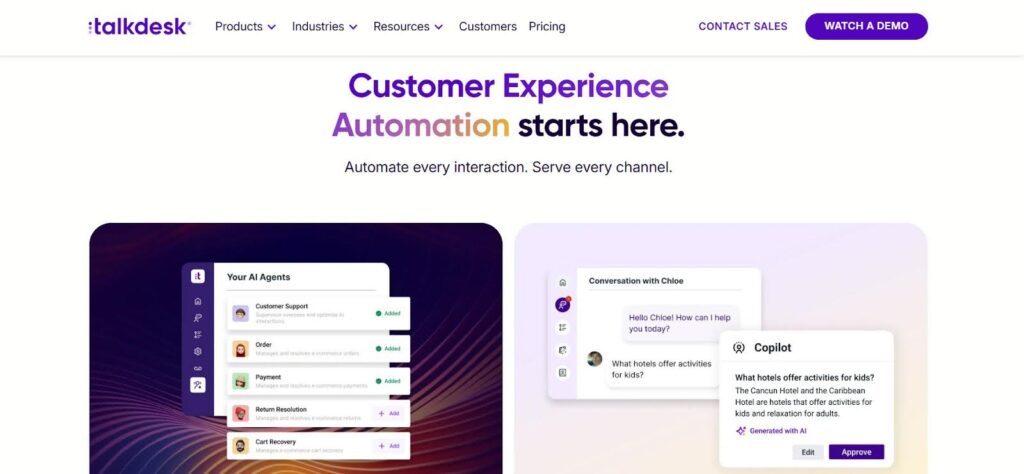
If your team needs a complete CCaaS platform that scales with complexity, Talkdesk gives you omnichannel control with built-in smart routing, automation, and analytics. It handles voice, chat, SMS, email, and social, and keeps every interaction in one unified interface.
The smart IVR and ACD engine routes messages to the right place fast. Whether it’s a phone call or a tweet, nothing gets lost. You can also automate responses and follow-ups using Studio, a low-code builder that lets you design workflows without needing a developer.
For example, you can build an automated missed-call follow-up in minutes. What used to take a dev ticket can now be done visually by non-technical staff.
Talkdesk also supports predictive dialers for outbound campaigns. Pair those with Agent Assist, and reps get in-call suggestions, summaries, and faster wrap-ups, especially helpful for onboarding new agents or running high-volume sales calls.
The built-in WEM tools let you forecast, schedule, coach, and track agents all in one place. Dashboards give live updates on SLA performance and team adherence, making it easier for managers to stay on top of operations.
However, a key trade-off with an all-in-one CCaaS agenda is that the WEM suite can lack depth. This is where a dedicated solution like Calabrio ONE can provide a distinct advantage. By focusing exclusively on workforce empowerment and engagement, specialized solutions can offer more robust features, along with the flexibility to integrate with any CCaaS platform. This approach prevents vendor lock-in, and it means that Talkdesk CCaaS users can integrate Calabrio ONE directly into their environment to get the best of both worlds.
Meanwhile, many find that Talkdesk isn’t cheap. Entry-level plans separate voice and digital, so if you want full omnichannel access, you’ll need to upgrade. Features like WFM, advanced analytics, and AI tools also often come at an extra cost.
Some users also report occasional call quality issues and UI glitches, especially under high call loads. While Studio and API access offer deep customization, they can feel overwhelming without technical help.
Pros
- Full-featured omnichannel CCaaS
- AI features like Agent Assist and smart routing
- 60+ native integrations + developer tools
Cons
- UI and reporting usability issues
- Some stability and support concerns
Talkdesk is a strong NiCE CXone alternative for organizations ready to scale with AI, automation, and omnichannel capabilities. It’s best for teams that can handle their pricing and complexity to unlock their full enterprise-grade value.
4. Genesys Cloud CX: AI-Driven Omnichannel
What it does: Genesys Cloud CX is a cloud-native contact center platform that supports voice, chat, email, SMS, and social channels. It combines AI, workforce tools, and workflow automation to deliver personalized customer experiences at scale.
Who it is for: Midsize to enterprise-level contact centers needing robust omnichannel routing, advanced AI capabilities, WEM tools, and strong global reliability. Plus, operations in sales, support, or regulated industries with large agent teams.
Genesys Cloud CX is purpose-built for companies that need scalable, intelligent customer engagement. The drag-and-drop flow builder makes it easy to configure IVRs and routing logic without coding. Whether you’re routing a chat, call, or email, you can create custom logic that adapts to customer needs in real time.
The AI toolkit includes voice bots, chatbots, predictive routing, real-time transcription, and sentiment analysis. These tools help automate common queries, guide agents live, and optimize performance across channels. For global operations, multi-language UI and 99.99% uptime make it ideal for scaling across regions.
The platform includes a native suite of workforce engagement tools. However, its CCaaS-first design means the WEM capabilities are more basic than what you’d find in a purpose-built suite. For example, the agent self-service options are limited, lacking the deeper, gig-style flexibility for agents to self-select shifts or bid on paid time off. For teams with complex compliance needs or those who schedule back-office tasks, the native WFM may require workarounds. The AppFoundry marketplace gives you plug-and-play access to hundreds of integrations. This is a key benefit, as it allows teams to complement the strengths of Genesys with best-in-class partners, like Calabrio, to add more specialized WEM capabilities directly into the platform.
However, this power comes with tradeoffs. Pricing climbs steeply for advanced features, and the complex, token-based billing for AI usage can make forecasting costs difficult.
Smaller teams may struggle with the minimum monthly spend (~$2,000) and the learning curve tied to customizing workflows or advanced reporting. In fact, many Genesys Cloud CX that the reports were more customizable. Plus, data can also feel siloed, as quality management and analytics are in separate modules, which can make it harder to get a single view of performance.
Pros
- End-to-end omnichannel with drag-and-drop workflows
- Advanced AI features and strong WEM tools
- Global reliability and extensive integrations
Cons
- AI and WEM features come at a high cost, with complex token-based AI pricing that is hard to predict
- Native WEM tools lack advanced agent self-service and scheduling flexibility
- Reporting data is siloed across different modules, requiring integration for a unified view
- Setup and reporting require ramp-up.
Genesys Cloud CX is a top NiCE CXone alternative for large teams that want deep AI capabilities and a scalable, all-in-one platform. It delivers powerful tools, but you’ll need the budget and may want to leverage its partner ecosystem to fill functional gaps in areas like workforce management.
5. Avaya: Scalable Enterprise Communications
What it does: Avaya offers cloud, hybrid, and on-premise solutions for unified communications and contact centers. It supports voice, video, messaging, omnichannel routing, AI analytics, and CRM integrations built for enterprise-scale operations.
Who it is for: Enterprises with complex call center needs, existing Avaya infrastructure, or regulatory requirements. It fits enterprises prioritizing security, omnichannel orchestration, and deep AI-powered customer insights.

If your organization needs flexible deployment options, Avaya gives you the ability to run cloud, hybrid, or on-premise setups. That’s a huge plus for industries like healthcare, finance, or government where compliance, security, and data control are non-negotiable.
The Avaya Experience Platform includes everything like voice, chat, email, video, and social, all routed through a single interface. The conversational intelligence engine uses real-time transcription, sentiment tracking, and summaries to support both agents and supervisors during and after calls.
Features like intent detection and structured data extraction help you act on call content, not just analyze it after the fact. This kind of AI adds real value in live environments.
You also get a range of third-party WEM capabilities, including scheduling, call scoring, dashboards, and compliance-grade call recording. This is especially useful in regulated industries that require audit trails and real-time monitoring. Others, however, find that they get the best performance out of Avaya when they pair it with the specialized workforce optimization solutions of a partner integration like Calabrio ONE.
There are other tradeoffs you should be aware of as well. For instance, pricing for the Experience Platform is quote-based and often expensive, especially when you include long-term contracts and add-ons.
The admin setup can be complicated, and support quality varies depending on your region or partner. Some users also report occasional downtime and stability issues, which can impact mission-critical teams.
Avaya’s legacy strength is well-known, but cloud transitions haven’t been smooth for everyone. You’ll need a capable team and the right partner to make the most of it.
Moreover, can be complicated has caused concern within the Avaya community and has put the future of this platform at risk.
Pros
- Flexible deployment (cloud, on-prem, hybrid)
- AI-driven analytics and speech insights
- Enterprise focus and the largest contact center seat globally (on-premise)
Cons
- Many of their users are stuck in an on-premise infrastructure
- High total cost and licensing complexity
- WEM not in house – third parties
- Mixed support and occasional outages
Avaya is a solid NiCE CXone alternative for enterprises needing flexible deployment, deep compliance, and unified CX/UC capabilities. It’s best suited for teams that can handle the complexity and invest in setup to unlock its full enterprise-grade potential.
6. CloudTalk: Lightweight, CRM-Friendly VoIP
What it does: CloudTalk is a cloud-based phone system and contact center solution designed for inbound and outbound calling. It offers call routing, IVR, dialers, CRM integrations, and analytics—built to be simple, reliable, and fast to deploy.
Who it is for: SMBs, remote sales teams, support reps, and growing startups needing voice-first workflows with easy onboarding, CRM syncing, and essential automation, without the overhead of heavy enterprise platforms.
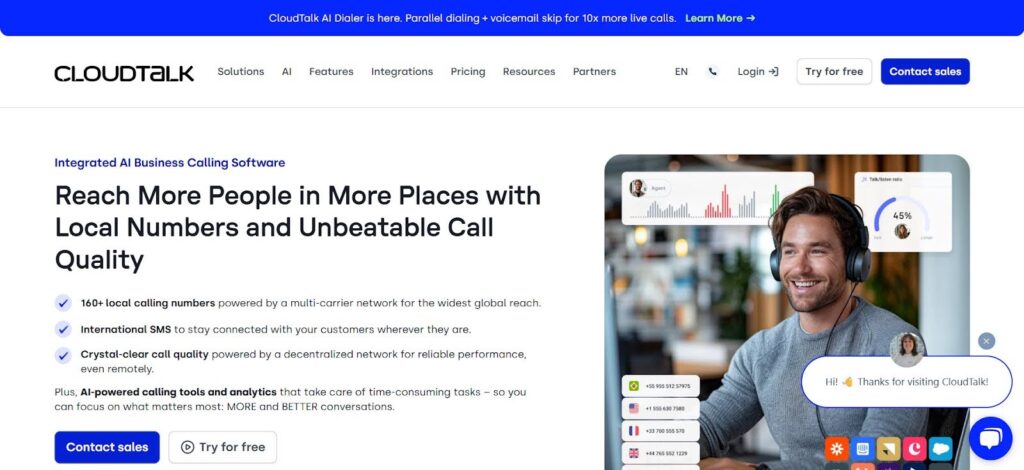
If you want a voice platform that’s easy to set up and works well with your CRM, CloudTalk keeps things simple. The drag-and-drop call flow designer makes it easy to create routing rules and IVRs, even if you don’t have an IT team.
Skill-based routing sends calls to the right person, and the smart/power dialers (available on higher plans) help outbound teams move faster. It’s a strong alternative to heavy CCaaS platforms if your focus is on sales or support workflows.
The platform includes after-call work tools like tagging, internal notes, and CRM syncing. If you’re using HubSpot, Salesforce, Pipedrive, or Zendesk, the integration is smooth, and two-way syncing keeps your records clean and up to date.
Supervisors can use real-time dashboards to track call volume, agent status, and sentiment. CloudTalk even includes emotion analytics, which picks up on tone during live calls, a nice bonus for a tool in this price range.
You can also automate workflows with tools like Slack, webhooks, or their open API, which adds flexibility without being overwhelming.
But there are trade-offs. Features like WhatsApp support, advanced dialers, and Salesforce integration are locked behind the Expert plan at $49/user/month, which might feel high for small teams. The Lite plan is too limited, missing full IVR, call recording, and advanced routing.
Some users also report call lags or drops during peak times, and support response times are a lot longer than promised, even taking days at times.
Pros
- Stable call quality and smooth CRM integrations
- User-friendly UI with fast onboarding
- Strong value at mid-tier (Essential) plan
Cons
- Higher tiers get expensive for SMBs
- Lite plan lacks key features like full IVR
- Occasional call drops or UI delays
CloudTalk is a top NiCE CXone alternative for SMBs that want a simple, reliable, and scalable voice platform with strong CRM integrations. It’s a smart fit for sales and support teams, but it may become less cost-efficient at the top tier and may not suit the needs of larger midsize and enterprise contact operations.
7. RingCentral: All-in-One Communications
What it does: RingCentral is a cloud-based platform that unifies voice, video, messaging, and contact center tools. It delivers VoIP, AI-powered meetings, omnichannel support, CRM integrations, and workforce tools, all accessible across desktop and mobile.
Who it is for: SMBs to large enterprises needing a single platform for calling, conferencing, collaboration, and customer support. Ideal for remote, hybrid, or distributed teams that prioritize integrated communications and AI-driven performance.
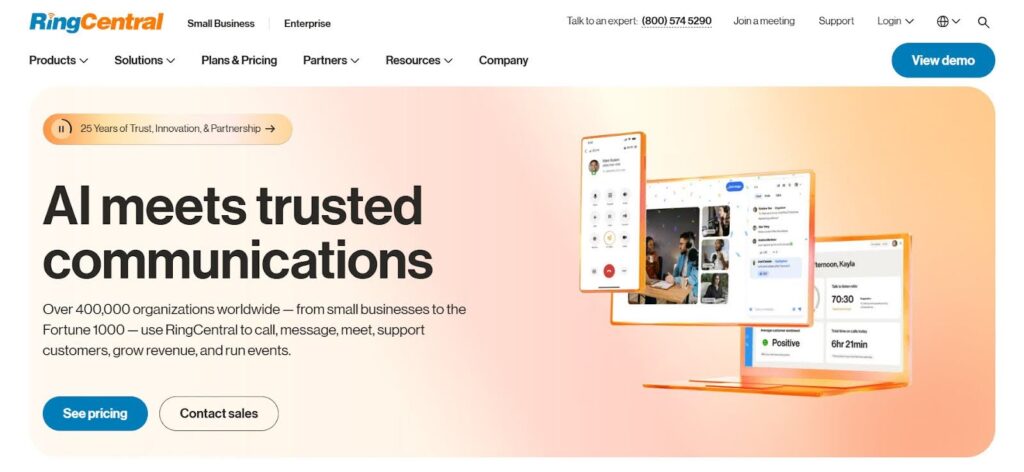
If you’re tired of switching between tools for calls, messages, and meetings, RingCentral puts everything in one place. It supports voice, video, chat, fax, and contact center features all from the same app, which helps teams work faster and stay in sync.
The voice features include multi-level IVR, visual voicemail, and call flipping, so agents can move between devices without dropping the call. The video suite gives you HD meetings, breakout rooms, and live transcription, which helps teams capture notes and insights in real time.
RingSense, the platform’s AI engine, can summarize meetings, detect sentiment, and surface key insights, which is great for sales and customer success teams that rely on clear follow-ups and conversation data.
The contact center-focused RingCX layer adds omnichannel routing, real-time agent coaching, and performance tracking. It supports chat, voice, email, and social, and helps sales and support teams stay on top of customer needs. While these capabilities continue to advance, users consistently rate their performance well behind those of specialized workforce engagement options like Calabrio ONE, which is built to integrate seamlessly with RingCX.
Over 200+ integrations are available, including Calabrio ONE, Salesforce, Microsoft Teams, HubSpot, Zendesk, and Slack. CRM sync is smooth, and team messaging and SMS are built right into the app.
However, according to some user reviews, there are more than a few technical issues when working with RingCX. Some users also mention video/audio glitches and slower support after onboarding.
Pros
- Unified voice, video, messaging, and contact center in one
- AI tools like RingSense and transcription
- 200+ integrations with CRMs and collaboration tools
Cons
- Setup and customization can be time-consuming
- Support feedback is mixed after implementation
- Third-party products in the suite, not their own
RingCentral is a powerful NiCE CXone alternative for teams needing unified voice, video, messaging, and contact center capabilities in one scalable platform. It’s ideal for mid-to-large businesses, but the pricing and complexity may be too much for smaller teams.
8. Nextiva: All-in-One Communications Suite
What it does: Nextiva is a cloud-based platform that unifies VoIP, video, chat, SMS, email, contact center tools, CRM, and AI-powered analytics into a single interface. It supports omnichannel routing, agent productivity tools, and real-time performance monitoring.
Who it is for: SMBs, mid-market teams, and growing contact centers looking for a user-friendly, all-in-one solution. Great for businesses wanting integrated UC + CCaaS + CRM functionality without the complexity of managing separate systems.
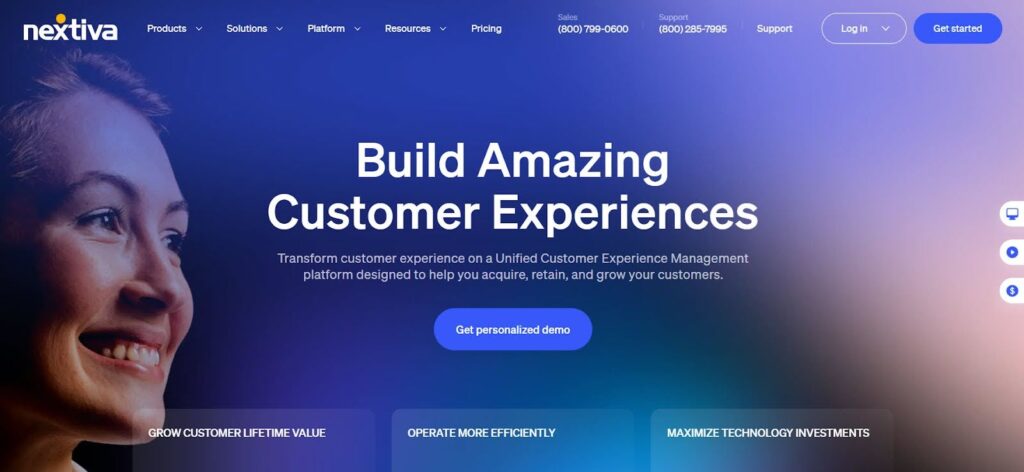
Nextiva can give you everything in one place, like voice, chat, SMS, email, CRM, and contact center tools. The Unified Inbox lets your team manage all channels from one screen, starting with even the base Digital plan. That’s a big plus for small teams juggling support across platforms.
From the Core plan onward, you get VoIP, video calls, team chat, IVR, and call routing. As you move up to Engage and Power Suite, features like AI summaries, sentiment tracking, and live coaching prompts help supervisors guide agents and improve call quality in real time.
The platform also supports skills-based routing, real-time dashboards, and CRM syncing with tools like Salesforce, HubSpot, and Zendesk. That keeps your data connected and workflows running smoothly.
The dashboard is clean and fast, making onboarding easy for non-technical teams. Customer support is available 24/7, and dedicated account managers help with setup and training. This makes Nextiva stand out from other UC + CCaaS platforms in the same price range.
But to get access to full AI and CCaaS features, you need the Power Suite at $60/user/month, which nearly doubles the cost compared to lower tiers. Some users also report confusing billing, SMS delivery issues, and slow support ticket handling.
Still, with 99.99% uptime and compliance certifications (HIPAA, SOC-2), it’s a reliable option for regulated industries.
Pros
- Unified voice, chat, video, CRM, and CCaaS in one platform
- Transparent tiered pricing and mid-tier social media support
- Excellent customer support and onboarding
Cons
- Steep price increase for AI and CCaaS in Power Suite
- Some users report support friction and app bugs
- Basic tiers lack advanced routing and analytics
- CCaaS and comms focus may lead to less innovation in workforce engagement and performance features
Nextiva is a strong NiCE CXone alternative for small to midsize businesses seeking a single, integrated UC+CCaaS solution. It’s affordable, scalable, and rich in features, especially at mid-tiers. Just be prepared to pay more if you want advanced AI or full contact center capabilities.
9. 8×8 Contact Center: Unified CCaaS + UCaaS Platform
What it does: 8×8 Contact Center is a cloud-native platform offering omnichannel support, AI-powered agent tools, secure payment handling, and robust analytics, all tightly integrated with its UCaaS and CPaaS systems for complete business communications.
Who it’s for: Mid-size businesses and distributed teams needing an all-in-one contact center plus communication stack, especially those wanting to simplify tech stacks, improve support insights, and enable secure self-service.

If your team wants to combine contact center, calling, and messaging into one system, 8×8 gives you that in a unified platform. You can manage voice, email, chat, SMS, and social channels using a drag-and-drop workflow builder that includes smart routing and AI-based decision logic.
Agents real-time stats, sentiment cues, call summaries, and QA feedback. Supervisors can track everything live and flag coaching moments on the fly. Features like self-service bots come built in, so you don’t need to bolt on extra tools.
The workforce engagement tools include scheduling, QA, and performance dashboards, which are helpful for managing remote or hybrid teams. A range of integrations are available to get an even clearer view of staffing and performance, though. While some integrations are simple service enhancements, 8×8 does not offer native support for corporate WEM use cases. To achieve full functionality, third-party solutions like Calabrio WEM are required.
Call quality is solid, and dashboards update in real time, but some past customers have claimed that they have a tendency to depreciate lesser-used features without properly informing customers. Users say the reporting tools can feel clunky, and there’s a steeper learning curve compared to simpler platforms.
Pros
- Unified platform: CCaaS + UCaaS + CPaaS under one vendor
- Reliable uptime and strong voice quality
- Integrated with third-party software like Calabrio ONE
Cons
- Custom pricing can complicate budgeting
- WEM third party needed – same for PCI
- Occasional stability issues
8×8 Contact Center is a powerful option for businesses seeking a fully integrated communications suite with strong voice quality, AI, and agent support. It’s ideal for mid-sized and enterprise teams who want to consolidate CCaaS and UCaaS, improve agent performance, and manage global support at scale.
How We Ranked NiCE CXone Alternatives
The best NiCE CXone alternatives in 2025 go beyond standard contact center functionality.
Leading platforms should:
- Unify voice, chat, and digital channels within a single, manageable interface
- Provide real-time visibility into performance, quality assurance, and agent productivity
- Include AI, WEM, and reporting features without requiring multiple dashboards
To determine which platforms are genuinely superior, over a dozen contact center solutions were evaluated using the following criteria:
1. Real-World Routing & Omnichannel Flows
Evaluation focused on how platforms handled live call routing, messaging, email, and chat. Top solutions featured visual flow builders, skills-based routing, and the ability to manage high call volumes without latency.
- Support for multiple channels within a unified agent interface
- IVR creation, fallback flows, and priority queues without developer input
- Stable call quality, even under heavy concurrent usage
2. Functional WEM Tools
Given NiCE CXone’s strength in workforce engagement, particular attention was paid to forecasting, scheduling, quality monitoring, and coaching.
- Automated schedule creation with accurate forecasting
- Built-in quality assurance scoring and real-time agent assist tools
- Live performance metrics suitable for in-session coaching
3. Effective AI and Automation
Assessment included sentiment analysis, automated summaries, self-service bots, and task automation. Extra consideration was given to platforms using generative AI or offering real-time coaching cues.
- Competent handling of Tier 1 queries without unnatural responses
- Automated summarization of calls and issue flagging
- AI designed to augment agents rather than replace them
4. Supervisor Experience & Reporting
Supervisor tools were reviewed for dashboard usability, custom reporting, alerting capabilities, and live wallboards.
- Access to live queue data, agent status, and CSAT scores
- Customizable, export-ready analytics without requiring SQL
- SLA tracking and forecast accuracy visibility
5. Setup, Onboarding, and Interface Design
Platform usability during setup was tested from login to live workflows.
- Minimal IT involvement required for deployment
- Clean, intuitive interface with minimal menu complexity
- Efficient onboarding process for both agents and supervisors
6. Pricing Transparency and Flexibility
Platforms were evaluated on how clearly pricing was presented and how scalable the cost model was.
- Clear, upfront pricing without requiring demo requests
- Entry-tier plans that included core channels like voice and chat
- Modular scaling of features (e.g., WFM, bots, analytics) without forced upgrades
7. Integrations and Ecosystem Compatibility
Each solution was tested for how well it integrated with tools such as Salesforce, Zendesk, Slack, Google Workspace, and custom APIs.
- Smooth syncing of call logs, tickets, and key performance indicators
- Availability of native connectors, beyond basic webhooks or third-party workarounds
- Ability to embed CRMs or messaging apps directly within the agent interface
Each platform was tested across inbound/outbound workflows, QA evaluations, and reporting scenarios. Vendor support interactions, pricing models, and admin feature robustness were also reviewed.
The platforms that ranked highest offered not only feature parity with NiCE CXone but also improvements in onboarding simplicity, data clarity, or scalability, making them strong choices for modern contact centers in 2025.
Calabrio ONE is Better Than NiCE CXone & Its Alternatives
Looking for a simpler, smarter alternative to CXone?
Calabrio ONE gives you everything in one place, like forecasting, scheduling, call recording, analytics, and agent coaching, without bouncing between modules or relying on third-party add-ons.
Here’s why teams are switching:
- All-in-one cloud-based suite with a single, modern UI
- AI-powered forecasting that cuts planning time by up to 40%
- 100% of interactions scored with customizable automated QM evaluations
- Real-time insights across voice, chat, and desktop activity
- Agent-first tools like MyTime for mobile self-scheduling
- Simplified onboarding with supervisor-friendly and agent-dedicated dashboards
- Fast ROI with dedicated success support included
If you’re ready to ditch the legacy patchwork, Calabrio ONE is the upgrade your agents and supervisors will thank you for. Book a demo today and see the difference.
Frequently Asked Questions
Which Nice CXone Alternative Is Best for Small Teams Under 50 Agents?
CloudTalk and Nextiva work well for small teams. CloudTalk offers fast setup, clean UI, and strong CRM syncing. Nextiva gives you all-in-one communication tools in a simple dashboard. Both platforms cost less than enterprise options and let you scale gradually without unnecessary complexity.
What if I Already Use Salesforce or Zendesk?
You can connect Salesforce or Zendesk easily with platforms like Calabrio, Five9, Talkdesk, and RingCentral. These tools offer native integrations, so your team can log calls, sync tickets, and update customer records automatically. You won’t need custom code to keep your workflows running smoothly.
How Long Does It Take to Switch From CXone to Something Else?
The switch usually takes four to eight weeks. That includes training, data migration, integration setup, and team onboarding. Calabrio and similar providers offer dedicated success teams to walk you through each phase. You can go live faster if your contact flows are already mapped out.
Do I Need a Developer to Set Up Routing Flows and Automation?
No, you don’t. Most top alternatives come with drag-and-drop workflow builders. Tools like Talkdesk Studio and Calabrio’s visual UI let you create workflows and rules without necessarily writing code. If your logic is complex, the vendor support team can assist directly.
What if I Want to Keep UC and CCaaS on the Same Platform?
RingCentral, 8×8, and Nextiva combine UC and CCaaS into a single system. That means you can manage calling, messaging, video, and contact center features from one place. This setup simplifies billing, reduces IT complexity, and creates a smoother experience for your agents and supervisors. Plus, you can still get best-in-class WFM, QM, analytics, and other features by seamlessly integrating Calabrio ONE with these solutions.
Can I Test Calabrio ONE Before Fully Switching?
Yes. Calabrio offers personalized demos to explore and test core features like forecasting, QM, analytics, and more. You can simulate real workflows, explore the UI, and check integration compatibility before committing. The onboarding team also helps you compare outcomes against your current setup.
Is Calabrio ONE Suitable for Enterprise-Scale Deployments?
Yes. Calabrio supports global enterprises with thousands of agents and is consistently named a leader in enterprise-grade solutions within respected industry reports. It includes enterprise-grade WEM, interaction analytics, intelligent forecasting, and dedicated support. You can also tailor deployments with API access and multi-region hosting. Calabrio helps large teams unify systems without sacrificing speed or visibility.
How Does Calabrio Compare to NiCE in Terms of AI and Automation?
Calabrio offers AI features that deliver value right out of the box. You get built-in forecasting, automated quality management, real-time adherence, and sentiment analysis without add-ons. NiCE often requires multiple licenses or third-party tools to access similar features, which adds complexity and cost.
What’s the Typical ROI After Switching To Calabrio ONE?
Teams usually see ROI within 18 to 24 months. Calabrio improves agent engagement and retention, boosts coaching and operational efficiency, and fuels increased productivity and elevated customer experiences. The MyTime app alone reduces shrinkage and increases schedule flexibility. You also save hours each week with Auto QM and centralized analytics built into the same platform.
What’s the Next Step if I’m Interested in Calabrio?
Book a product demo with Calabrio. You’ll get a walkthrough tailored to your workflows, team size, and goals. Their team will answer questions, show you what’s possible, and help you map your migration plan. It’s the easiest way to see if Calabrio is the right fit.